
Apple 2025 MacBook Pro
4.7Editor score
Apple M5 Chip with 10-Core GPU
14.2-inch Liquid Retina XDR
16GB Unified Memory
Finding the right laptop for Adobe Premiere Pro requires balancing raw power with portability. Professional editors need machines that handle 4K timelines smoothly while remaining reliable for on-site work. This guide reviews ten top contenders designed to meet those demanding creative workflows.
We evaluated each model based on processor speed, graphics capability, and display accuracy. Our analysis focuses on real-world editing performance, thermal management, and build quality. Every product listed here offers distinct advantages for different budget levels and specific video production needs.
Each pick highlights key strengths, potential trade-offs, and ideal user profiles. Prices and availability change frequently, so always verify current deals before purchasing. Our goal is to help you invest in a machine that grows with your editing skills and project complexity.
4.7Editor score

4.4Editor score

4.5Editor score
As an Amazon Associate we earn from qualifying purchases.
This side-by-side comparison highlights the core specifications of each laptop. Look closely at processor generations, RAM capacity, and graphics options to find the best match for your editing projects.

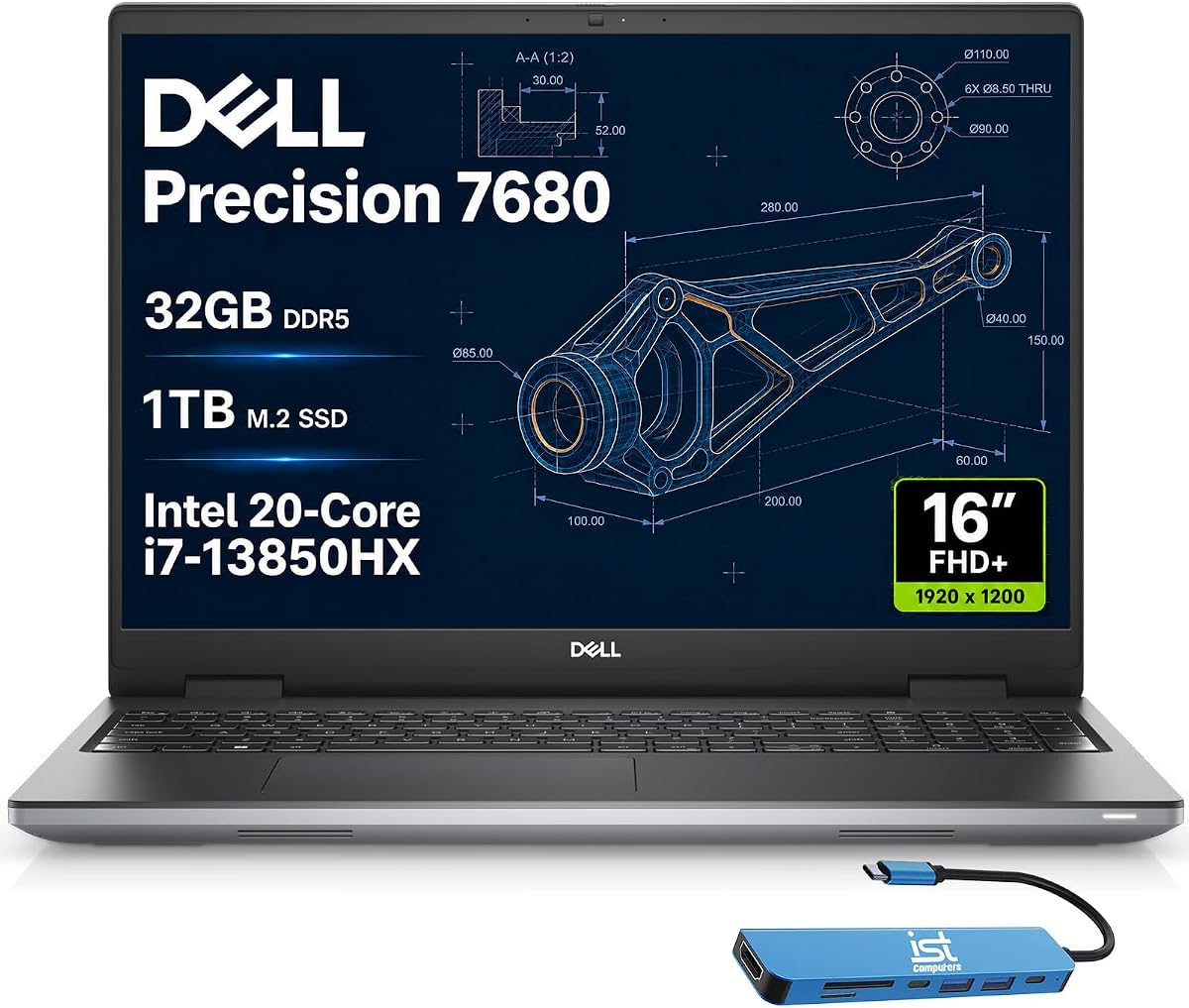


The Dell Precision 7680 stands out as our top recommendation for serious video editors. It delivers robust performance with an Intel Core i9-13950HX processor that handles complex timelines with ease. The workstation-class design ensures stability during long rendering sessions.
We may earn a commission when you buy through this link, at no additional cost to you.
Its 32GB DDR5 CAMM RAM provides smooth multitasking while the 1TB SSD offers fast storage access. The 16-inch FHD+ display delivers sharp visuals essential for accurate color grading. Connectivity includes Thunderbolt 4 ports allowing flexible external monitor setups.
While powerful, this laptop is heavy and less portable than ultrabooks. The high price tag may be prohibitive for casual users who do not need workstation-level reliability. However, professionals working on client projects will appreciate its dependability.
Buyers seeking top-tier performance and professional certification should prioritize this model. It excels in demanding workflows where stability and speed are non-negotiable. The included warranty and support add further value for business environments.
ISV certification ensures seamless compatibility with Adobe Premiere Pro. This reduces crashes and speeds up workflow efficiency for daily editing tasks.
Thunderbolt 4 ports support high-speed data transfers and multiple 4K displays. This flexibility allows editors to expand their setup as project needs grow.
We may earn a commission when you buy through this link, at no additional cost to you.
The Apple 2025 MacBook Pro represents the pinnacle of premium laptop design. Its M5 chip offers next-generation speed that rivals desktop performance. Video editors benefit from seamless integration with macOS and optimized Adobe apps.
We may earn a commission when you buy through this link, at no additional cost to you.
The 14.2-inch Liquid Retina XDR display provides incredible brightness and color accuracy. This is crucial for grading work requiring precise visual feedback. The unified memory architecture ensures efficient resource usage even during intense rendering.
Upgrades like RAM or storage are not possible after purchase which limits flexibility. The price point is also higher than comparable Windows workstations. However, the battery life and build quality justify the cost for many professionals.
Choose this model if you value portability, display quality, and ecosystem integration. It is ideal for editors who frequently work remotely or need all-day performance without a charger. The advanced camera and audio also enhance remote collaboration.
The M5 chip delivers blazing fast AI performance and GPU tasks. This means faster exports and smoother real-time effects in Premiere Pro.
Battery life remains consistent whether plugged in or on the go. This reliability is rare for high-performance machines and aids on-location shooting.
We may earn a commission when you buy through this link, at no additional cost to you.
The Dell Precision 3581 offers excellent value for editors on a budget. It packs 13th-gen Intel Core i7 performance and 32GB of DDR5 RAM. This configuration allows smooth playback and editing of high-resolution footage.
We may earn a commission when you buy through this link, at no additional cost to you.
The dedicated Nvidia GeForce RTX A500 GPU accelerates rendering tasks effectively. Unlike many consumer laptops, this is a true workstation with professional graphics support. The 1TB SSD ensures ample space for project files and media cache.
Being a renewed unit means warranty options differ from new models. Buyers should verify the seller's return policy and remaining coverage. The display is functional but lacks the vibrancy of higher-end panels.
This laptop is perfect for students or freelancers starting their editing careers. It balances cost and capability better than most budget options. Ensure you check the condition details before finalizing your purchase decision.
The RTX A500 provides stable drivers for creative apps. This reduces crashes during complex timeline rendering compared to gaming GPUs.
DDR5 RAM at 4800MHz speeds up data access significantly. This helps when loading large assets or switching between heavy apps quickly.
We may earn a commission when you buy through this link, at no additional cost to you.
This 17.3-inch powerhouse offers desktop-level power in a mobile chassis. The 128GB RAM is ideal for editors working with massive 8K projects or multiple apps simultaneously. It ensures no stuttering even with dozens of open applications.
We may earn a commission when you buy through this link, at no additional cost to you.
The NVIDIA RTX 3500 Ada GPU with 12GB VRAM supports advanced rendering and AI features. This is critical for high-end color grading and effect processing. The large display provides ample canvas for precise timeline adjustments.
Portability is severely limited due to weight and dimensions. This is best suited for a dedicated workspace rather than frequent travel. The price point targets enterprise clients or power users with specific needs.
Consider this if you need extreme memory capacity and screen real estate. It excels as a primary editing hub where performance outweighs portability. The extended warranty adds peace of mind for business deployments.
128GB RAM allows handling of enormous video files without swapping. This makes it future-proof for years of demanding content creation work.
Ada architecture supports next-gen rendering technologies. This ensures compatibility with latest Premiere Pro features and third-party plugins.
We may earn a commission when you buy through this link, at no additional cost to you.
The i7 variant of the Precision 7680 offers a balanced mix of power and cost. It features the Core i7-13850HX processor which delivers excellent multi-core speeds. This is suitable for moderate editing workflows and general productivity tasks.
We may earn a commission when you buy through this link, at no additional cost to you.
Like other Precision models, it supports multiple external monitors and has a backlit keyboard. The DDR5 RAM ensures responsive performance during application switching. It serves as a reliable all-rounder for various creative needs.
Integrated graphics limit high-end 3D or heavy rendering capabilities. Users needing GPU acceleration should look for higher-end configurations. However, for standard HD or 4K editing it remains effective.
Buy this if you need a sturdy workstation without the flagship price tag. It is a smart choice for teams needing consistent performance across multiple units. Verify exact GPU options before purchasing to meet your specific needs.
20-core architecture handles parallel tasks efficiently. This reduces render times significantly compared to older processor generations.
Dell's support network ensures quick issue resolution. This is vital for businesses relying on uninterrupted workflow during tight deadlines.
We may earn a commission when you buy through this link, at no additional cost to you.
This configuration emphasizes storage capacity with a generous 2TB NVMe SSD. It allows editors to keep large libraries on local storage without relying on external drives. Combined with 64GB RAM it handles heavy workloads smoothly.
We may earn a commission when you buy through this link, at no additional cost to you.
Pro Support Plus adds significant value with onsite service and remote diagnostics. This minimizes downtime for critical projects. The RTX 1000 GPU provides basic acceleration for standard editing tasks.
Advanced graphics work may be limited by the lower-end GPU. Consider this a storage and RAM focused option rather than a graphics powerhouse. It is ideal for editors managing extensive raw footage archives.
Choose this for its massive local storage and robust warranty package. It balances performance and practicality for production studios. The extra drive space is a major benefit for high-volume editors.
2TB space holds multiple project files securely. This speeds up project access and eliminates constant external drive dependencies.
24/7 access to certified experts keeps systems running. This is crucial for businesses that cannot afford extended downtime.
We may earn a commission when you buy through this link, at no additional cost to you.
The Precision 5550 is a refreshed version of a popular model. It retains a sturdy build quality suitable for daily creative work. The 32GB RAM ensures reasonable performance for standard editing workflows.
We may earn a commission when you buy through this link, at no additional cost to you.
Running Windows 11 Pro offers enterprise-grade security features. It is ideal for users needing specific OS environments. However, the older processor limits performance compared to newer chips.
Battery health in renewed units can vary significantly between models. Check seller ratings and warranty terms carefully. The lower price makes it accessible for budget-conscious buyers entering the market.
This is a solid choice for home studios or students. It provides reliable performance for 1080p editing. Verify battery cycle counts before purchasing to ensure longevity.
Buying renewed lowers cost significantly while keeping build quality. This allows access to workstation features at consumer prices.
Older processors still handle many editing tasks well. This makes it a good entry point for basic video editing needs.
We may earn a commission when you buy through this link, at no additional cost to you.
The HP 17 laptop features a large display ideal for multitasking. The 17.3-inch screen offers comfortable visibility for timelines. This makes it a good option for light editing on the go.
We may earn a commission when you buy through this link, at no additional cost to you.
Powered by AMD Ryzen 5 it handles basic tasks efficiently. The lightweight design aids portability for field work. It runs Windows 11 Pro providing standard security features.
Low RAM and small storage limit performance for 4K editing. Users may need to upgrade components which could void warranty. It is best used as a secondary machine or for 1080p projects.
Consider this for its screen size and affordability. It suits casual editors or students learning the software. Ensure you have external storage plans for larger projects.
Big screens allow clearer view of video tracks. This helps with precise timeline navigation and editing.
Low cost makes it accessible for beginners. It provides entry-level performance without breaking the bank.
We may earn a commission when you buy through this link, at no additional cost to you.
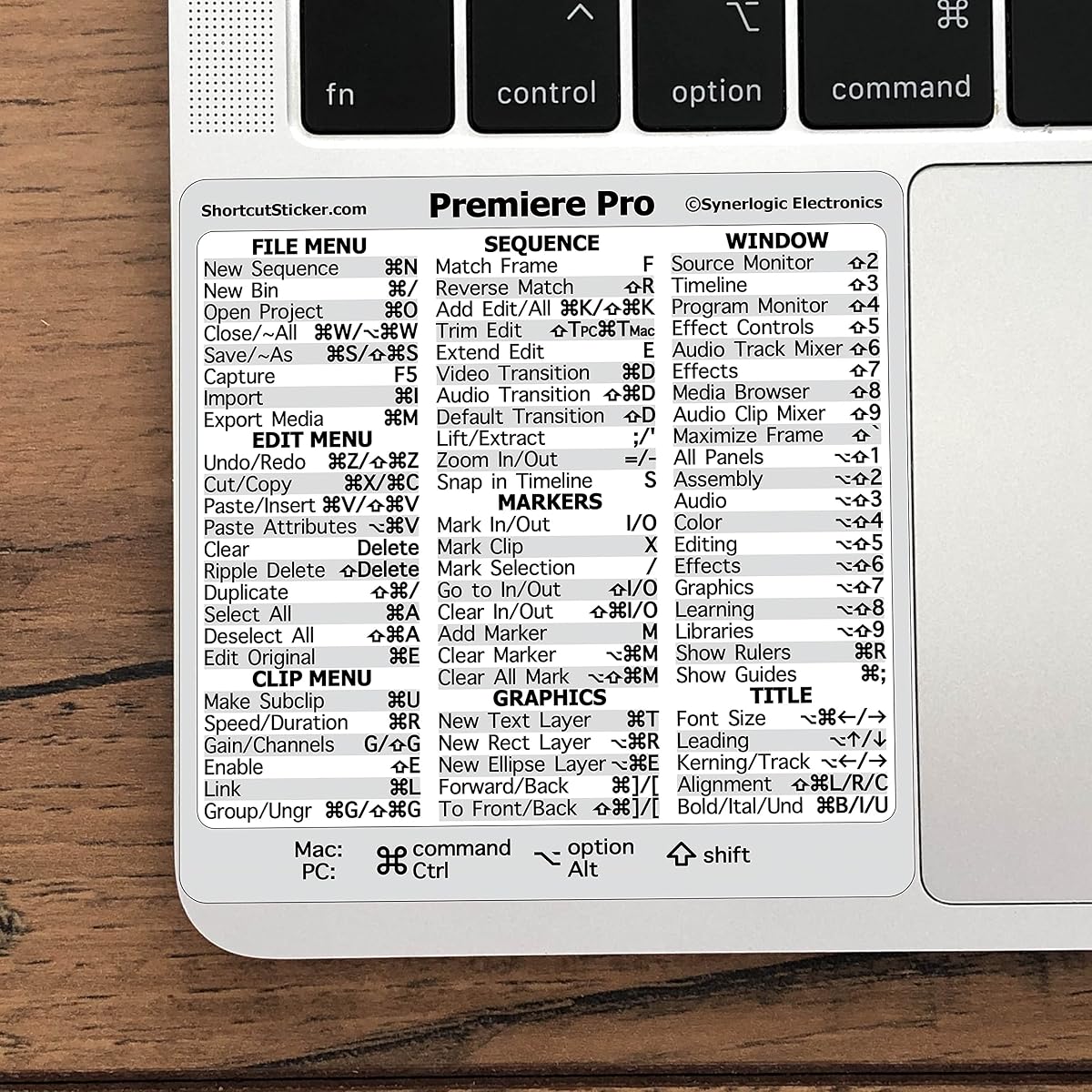
This sticker helps editors learn essential keyboard shortcuts quickly. It is designed to sit near your keyboard for quick reference. This reduces time spent searching menus during editing sessions.
We may earn a commission when you buy through this link, at no additional cost to you.
The vinyl material is durable and resists peeling. It is compatible with both Mac and PC keyboards. This versatility makes it a great companion for mixed environments.
While not a computer component it enhances software performance. It is a low-cost upgrade for daily productivity. Ensure you have enough desk space for placement.
Buy this to streamline your editing workflow immediately. It helps maintain focus without breaking flow for menu lookups. It pairs well with any powerful editing machine.
Quick access to shortcuts speeds up production. This allows editors to complete projects faster with less friction.
Cheaper than hiring trainers for basic training. This simple tool accelerates the learning curve for new users.
We may earn a commission when you buy through this link, at no additional cost to you.
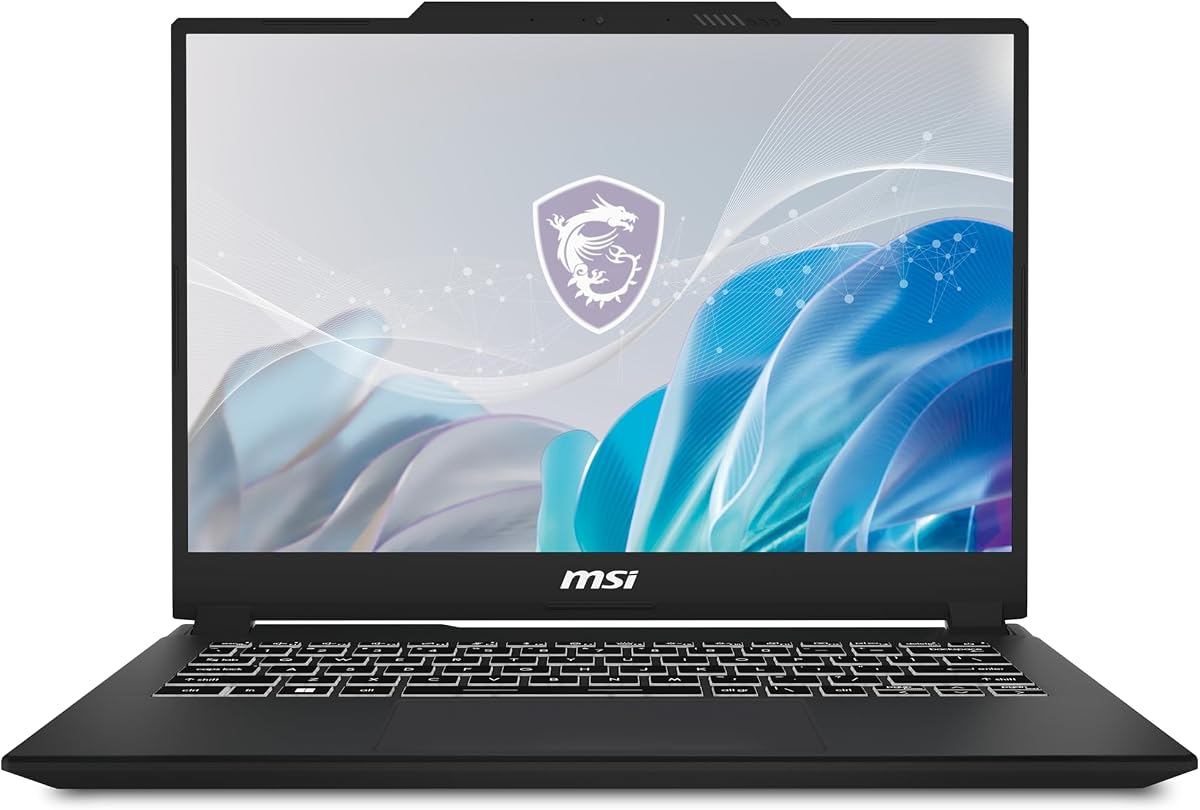
The MSI Creator M14 balances portability with strong creator specs. Its 2.8K display delivers vivid colors for creative work. The RTX 4050 GPU provides solid rendering support for various effects.
We may earn a commission when you buy through this link, at no additional cost to you.
Cooler Boost technology helps maintain performance during heat spikes. This keeps the laptop stable during longer sessions. The 14-inch size makes it easy to carry everywhere.
16GB RAM may bottleneck very heavy workflows requiring more memory. The battery life is average compared to ultrabooks. However, for a creator laptop it offers strong value.
Choose this if you need a compact machine with good visuals. It is a solid choice for travel editors needing screen accuracy. Ensure you consider future RAM needs before buying.
2.8K screen offers detailed pixel accuracy. This is ideal for precise color grading and image editing work.
Cooler Boost prevents throttling under pressure. This ensures consistent performance when rendering high-resolution videos.
We may earn a commission when you buy through this link, at no additional cost to you.
Selecting the right laptop involves balancing processor power graphics capability and memory. This guide explains key factors to consider for smooth 4K editing.
Adobe Premiere Pro relies heavily on CPU cores for real-time playback and exports. Look for 13th Gen Intel Core i7 or i9 processors or comparable AMD Ryzen chips. Multi-core performance ensures timelines run smoothly even with effects applied.
Higher clock speeds improve responsiveness for daily tasks. Prioritize CPUs that balance raw power with thermal efficiency to avoid throttling during long projects.
Memory is critical for handling high-resolution video streams. Aim for at least 32GB of DDR5 RAM for professional 4K work. This allows multiple applications to run concurrently without slowdowns.
16GB may suffice for basic HD editing but will struggle with complex timelines. Always check if the RAM is upgradeable to future-proof your investment.
A dedicated GPU accelerates rendering and effects processing. Look for NVIDIA RTX series cards or professional workstation GPUs like the RTX A series. These ensure stable performance during GPU-intensive operations.
Integrated graphics are insufficient for serious video editing. Verify that the GPU supports CUDA acceleration which Premiere Pro utilizes heavily.
Color accuracy is essential for grading work. Seek panels with high sRGB or DCI-P3 coverage and good brightness levels. A larger screen allows easier navigation of multi-track timelines.
Consider resolution beyond FHD for sharper previews. Anti-glare coatings help during long editing sessions under bright studio lights.
Solid State Drives are mandatory for modern editing workflows. Aim for 1TB or more capacity to store local project files. NVMe SSDs provide fast data transfer rates crucial for smooth scrubbing.
External storage is often needed for archives. Ensure the laptop has sufficient ports to connect external drives efficiently.
Larger workstations offer more power but are heavier. Ultrabooks provide mobility but may compromise cooling. Decide if you will use the laptop primarily on a desk or while traveling.
Thermal management is key for portable machines. Ensure the device maintains performance under sustained loads without excessive heat.
Professional use requires reliable support options. Check for onsite warranty service or extended coverage. This minimizes downtime during critical production phases.
Enterprise-grade models often include better support packages. Verify response times and available repair networks in your region.
Start by installing the latest drivers from the manufacturer's website. Updated graphics drivers ensure compatibility with the newest Premiere Pro features.
Clean the display regularly using a microfiber cloth. Avoid harsh chemicals that might damage anti-glare coatings on the screen.
Allow the laptop to cool down before storing it in a case. Proper ventilation extends hardware life and maintains optimal performance over time.
Yes, a dedicated GPU significantly speeds up rendering and effects processing. Integrated graphics struggle with real-time playback of high-resolution footage. Look for NVIDIA RTX series or professional workstation GPUs for best results.
At least 32GB of RAM is recommended for smooth 4K editing. This prevents stuttering when scrubbing through complex timelines with multiple tracks. More memory helps if you use multiple applications simultaneously.
Both platforms support Premiere Pro effectively. Macs excel in battery life and color accuracy while Windows offers more hardware variety. Choose based on your budget and ecosystem preferences.
Yes, SSDs are essential for fast data access and playback. Traditional hard drives cause lag during timeline scrubbing. A NVMe SSD ensures smooth performance even with large projects.
Many laptops allow component upgrades. Check manufacturer specifications before buying to ensure flexibility. Upgrading later can extend the laptop's lifespan effectively.
A screen between 15 and 17 inches is ideal for comfortable editing. Larger displays provide more space for toolbars and timelines. Consider portable options if you travel often.
Our top picks include the Dell Precision 7680 for overall power and the MacBook Pro for premium reliability. Each model offers distinct advantages depending on budget and workflow requirements.
Prioritize processor speed and RAM capacity to ensure smooth editing. Display quality and connectivity are also vital for professional output and flexibility.
Verify current pricing and stock before purchasing as availability changes frequently. Investing in the right machine now will support your creativity for years to come.