
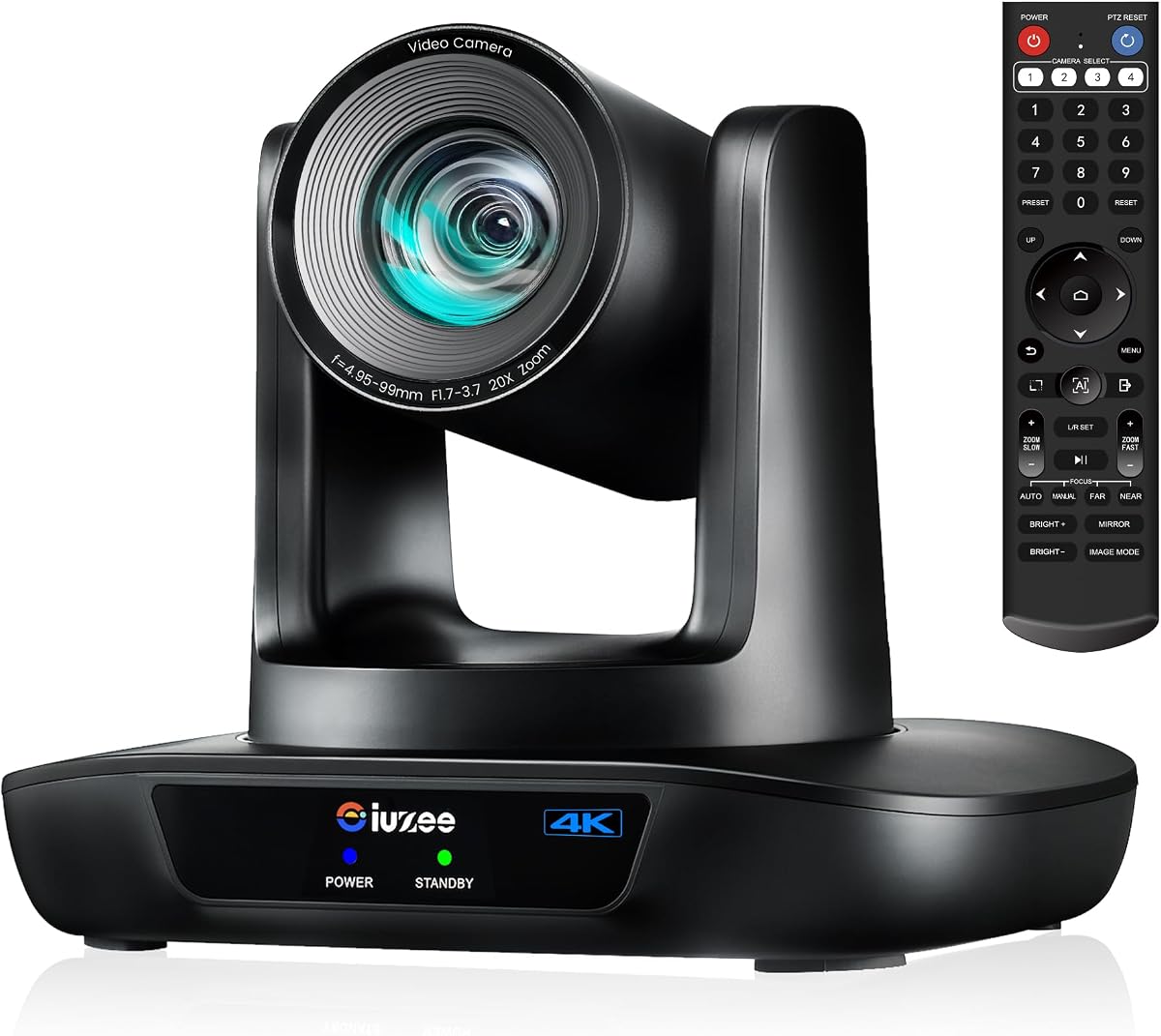
4K NDI PTZ Camera AI Auto Tracking
4.6Editor score
Official NDI integration included
4K 30fps via HDMI and USB
20X optical zoom capability
This guide compares the top ten auto tracking conference camera systems for professional video conferencing with AI features and high resolution performance.
Video conferencing has become essential for modern businesses and organizations. Choosing the right auto tracking conference camera ensures everyone is seen clearly during meetings without manual adjustments.
We evaluated ten top models based on AI tracking accuracy video resolution and ease of use. Each product was reviewed for features that matter most in professional meeting environments.
Every pick includes key specs and real world benefits to help you decide. Remember that product availability and pricing can change so verify details before purchasing your system.
4.6Editor score

4.8Editor score

4.1Editor score
This side by side comparison highlights the key specifications of all ten models to help you find the perfect fit for your meeting space needs.




This camera system earns our top pick with high ratings for clarity and ease of use. It delivers professional 4K video and reliable auto tracking for small to medium rooms.
We may earn a commission when you buy through this link, at no additional cost to you.
The PTZ camera uses advanced algorithms to follow speakers precisely. The included Bluetooth speakerphone captures voices clearly within a five meter range.
While battery life is moderate and space coverage is best for smaller setups the system covers most common needs well. The high rating reflects consistent performance.
Teams needing a complete kit with excellent video should consider this first. It simplifies conferencing with one reliable solution.
The 4K 30fps output provides sharp details for remote participants.
AI tracking locks onto speakers smoothly during discussions.
We may earn a commission when you buy through this link, at no additional cost to you.
Affordable pricing makes this webcam a smart choice for tighter budgets. It offers 4K resolution and AI framing suitable for small meetings.
We may earn a commission when you buy through this link, at no additional cost to you.
The wide angle lens captures the whole table without repositioning. AI framing helps keep everyone in view during team discussions.
Some users report lower ratings for tracking precision compared to premium models. It works best for static groups or simple calls.
Budget focused teams should find value here. It provides solid basics without complex setup.
Ideal for small offices with limited budgets.
Auto framing detects all attendees automatically.
We may earn a commission when you buy through this link, at no additional cost to you.
This system stands out for smooth video performance thanks to 60fps capability. It is highly rated for its reliable AI tracking and audio quality.
We may earn a commission when you buy through this link, at no additional cost to you.
The 3x optical zoom allows close ups without losing detail. The Bluetooth speakerphone is easy to use with multiple connection types.
Users note the 1080P resolution is still clear but not 4K. The speakerphone is not always bundled depending on the kit.
Teams prioritizing smooth motion and tracking will appreciate this model. It offers great value for professional rooms.
60fps output reduces motion blur in meetings.
Faces remain centered during discussions.
We may earn a commission when you buy through this link, at no additional cost to you.
Gesture control sets this model apart for hands free operation. It offers 4K video and a full speakerphone kit for meeting rooms.
We may earn a commission when you buy through this link, at no additional cost to you.
The remote control and gesture commands simplify camera adjustments. Tracking keeps focus on presenters during dynamic sessions.
The zoom is digital which may reduce clarity at extremes. Users report occasional tracking delays in busy environments.
Rooms wanting interactive features will enjoy this. It balances cost and advanced controls well.
Use hand signals to toggle tracking modes.
Speakerphone bundled for complete audio.
We may earn a commission when you buy through this link, at no additional cost to you.
This model brings long reach zoom to large churches or halls. It supports PoE for simplified installation and 4K video.
We may earn a commission when you buy through this link, at no additional cost to you.
The 20X optical zoom captures speakers from the back. Bluetooth audio ensures clear voice pickup over distance.
Cost is higher but the zoom power justifies it. PoE requires a switch but reduces cabling.
Large venues needing reach and clarity should choose this. It is built for demanding environments.
20X zoom captures details from afar.
Single cable power and data possible.
We may earn a commission when you buy through this link, at no additional cost to you.
Broadcasters will love this model for its multiple outputs and streaming options. It delivers 4K quality with professional tracking.
We may earn a commission when you buy through this link, at no additional cost to you.
LAN and PoE make it fit into networked setups easily. AI tracking follows subjects accurately for smooth feeds.
The lack of built in mic means external audio is needed. Installation may require more planning than USB models.
Production teams and educators should consider this. It offers pro level flexibility.
Supports RTMP and RTSP for streaming.
PoE simplifies networked deployments.
We may earn a commission when you buy through this link, at no additional cost to you.
NDI integration makes this camera ideal for studio environments. It supports SDI and NDI for seamless workflows.
We may earn a commission when you buy through this link, at no additional cost to you.
Tracking remains smooth even with complex scenes. 4K video through HDMI ensures high quality.
The price is high for pro needs. Users must be familiar with NDI protocols.
Studios and event producers should consider this. It delivers top tier video.
Official NDI license included for workflows.
SDI output supports professional switchers.
We may earn a commission when you buy through this link, at no additional cost to you.
This PTZ is versatile for classrooms and streaming. It supports PoE and multiple connections for flexible installation.
We may earn a commission when you buy through this link, at no additional cost to you.
The zoom captures distant students well. Presets help save common views for quick switching.
Some setups require resolution changes. Overall performance is solid for education.
Educators needing a long reach camera will find it useful. It balances features and reliability.
Works well for online and hybrid classes.
LAN or PoE offers installation options.
We may earn a commission when you buy through this link, at no additional cost to you.
An all in one system simplifies larger meeting rooms. It captures groups clearly with built in audio and video.
We may earn a commission when you buy through this link, at no additional cost to you.
Auto framing adjusts for dynamic discussions. The mic array ensures everyone is heard.
Some users note room size limits. It fits well for teams.
Group focused teams should prefer this. It offers simplicity.
Camera and audio built into one unit.
120 degree view covers tables.
We may earn a commission when you buy through this link, at no additional cost to you.
This desktop webcam integrates audio video. The privacy cover adds security and lens protection.
We may earn a commission when you buy through this link, at no additional cost to you.
The FOV is adjustable for different calls. Remote allows easy control.
Users note tracking is limited. Best for individuals.
Remote workers will find it useful. It keeps setups simple.
Audio and video combined in one webcam.
FOV keys allow different angles.
We may earn a commission when you buy through this link, at no additional cost to you.
Selecting the right camera requires attention to resolution tracking and audio integration.
Resolution impacts clarity for remote teams. Look for 4K or high 1080P support. HDMI and USB outputs provide flexibility for different devices.
Higher resolution ensures text and details are clear.
AI tracking follows speakers to keep focus where needed. Facial recognition improves accuracy. Consider if framing is also useful for groups.
Strong tracking reduces manual adjustments during calls.
Optical zoom retains clarity better than digital. For large rooms optical zoom is essential. Digital zoom suits smaller desktops.
Choose optical if reach is a priority.
All in one kits include microphones and speakers. Standalone cameras may need external audio. Built in audio simplifies setups.
Integrated audio reduces cabling and complexity.
USB is common for laptops. PoE helps in office installations. LAN support enables IP streaming for broadcasting.
Ensure your network matches the camera.
Wall or ceiling mounts hide hardware. Desk mounts are easier to adjust. Check included mounts in packages.
Choose mounts that fit the room style.
Ensure support for Teams Zoom and other tools. Certified cameras simplify settings. Check driver requirements.
Compatibility avoids software conflicts.
Lens covers protect privacy when not in use. Security settings prevent unauthorized access. Check software features.
Privacy features build trust among teams.
Set up the camera on a stable surface or mount. Connect the video and audio cables to your computer or network switch. Use the software to adjust tracking sensitivity and presets.
Test the microphone levels before meetings. Check the battery of any speakerphones and charge overnight. Use the remote or app to change views during discussions.
Keep lenses clean with a soft cloth. Update firmware to maintain features and security. Ensure firmware updates are applied for best performance.
These cameras use AI algorithms to detect faces and human outlines. They analyze movement patterns to decide who is speaking and focus on them.
Optical zoom maintains image quality because it physically moves the lens. Digital zoom crops the image and can reduce clarity significantly.
Not all do. Some are video only while others bundle speakerphones. Always check the product specs to confirm audio hardware is included.
Yes many support streaming software like OBS. Look for NDI or RTMP support. HDMI and USB outputs work with most capture tools.
Wide angles like 120 degrees cover more room. Smaller rooms may not need that. Balance angle with zoom to keep details clear.
Most support both operating systems. Check driver requirements. Some models are plug and play without extra software.
Power over Ethernet delivers power and data via one cable. It simplifies installation and reduces cables. You will need a PoE switch.
Update at least every few months for security. Check manufacturer notifications. Updates add features and fix bugs.
This guide has reviewed ten models ranging from budget webcams to premium PTZ systems. The top pick balances video quality tracking and audio in one kit.
Prioritize resolution and tracking accuracy for the best meetings. Consider your room size and needed zoom range before choosing.
Verify current availability and details before purchasing. A well chosen camera transforms communication and collaboration.