
3DMakerpro Fox Entry-Level Medium-Format
3.2Editor score
0.07mm Accuracy
Markerless AI Tracking
Beginner Friendly
3D scanning technology has evolved rapidly, offering tools for everyone from hobbyists to industrial engineers. A good scanner captures detailed geometry and texture, enabling reverse engineering and digital archiving with ease.
We analyzed ten leading models based on accuracy, scanning speed, connectivity, and software capabilities. Each product was evaluated for its ability to handle diverse surfaces and environments effectively.
Every pick highlights specific strengths and ideal use cases to guide your decision. Keep in mind that pricing and availability can change frequently, so verify details before purchasing.
3.2Editor score

5.0Editor score

As an Amazon Associate we earn from qualifying purchases.
This side-by-side comparison highlights key specifications and capabilities across the ten selected models to help you find the best fit for your projects.


The Creality Pika Portable stands out as a top-tier handheld scanner offering exceptional accuracy at 0.03mm. Its compact design and dual-mode scanning make it ideal for professionals and enthusiasts alike.
We may earn a commission when you buy through this link, at no additional cost to you.
This device combines blue laser precision for small objects with NIR structured light for larger body scans. The integrated AI completes body scans from faces and repairs holes automatically, saving significant post-processing time.
While the interface is intuitive, mastering the AI features requires some practice. Additionally, the small 3-inch screen might feel limiting for detailed inspections compared to larger tablets.
We recommend this scanner for users needing high accuracy in a portable form factor. Whether for reverse engineering or digital modeling, it delivers professional results with minimal setup.
Switch between blue laser for detail and NIR for full-body scans with one device.
Built-in AI fills holes and retextures models using photos for lifelike results.
We may earn a commission when you buy through this link, at no additional cost to you.
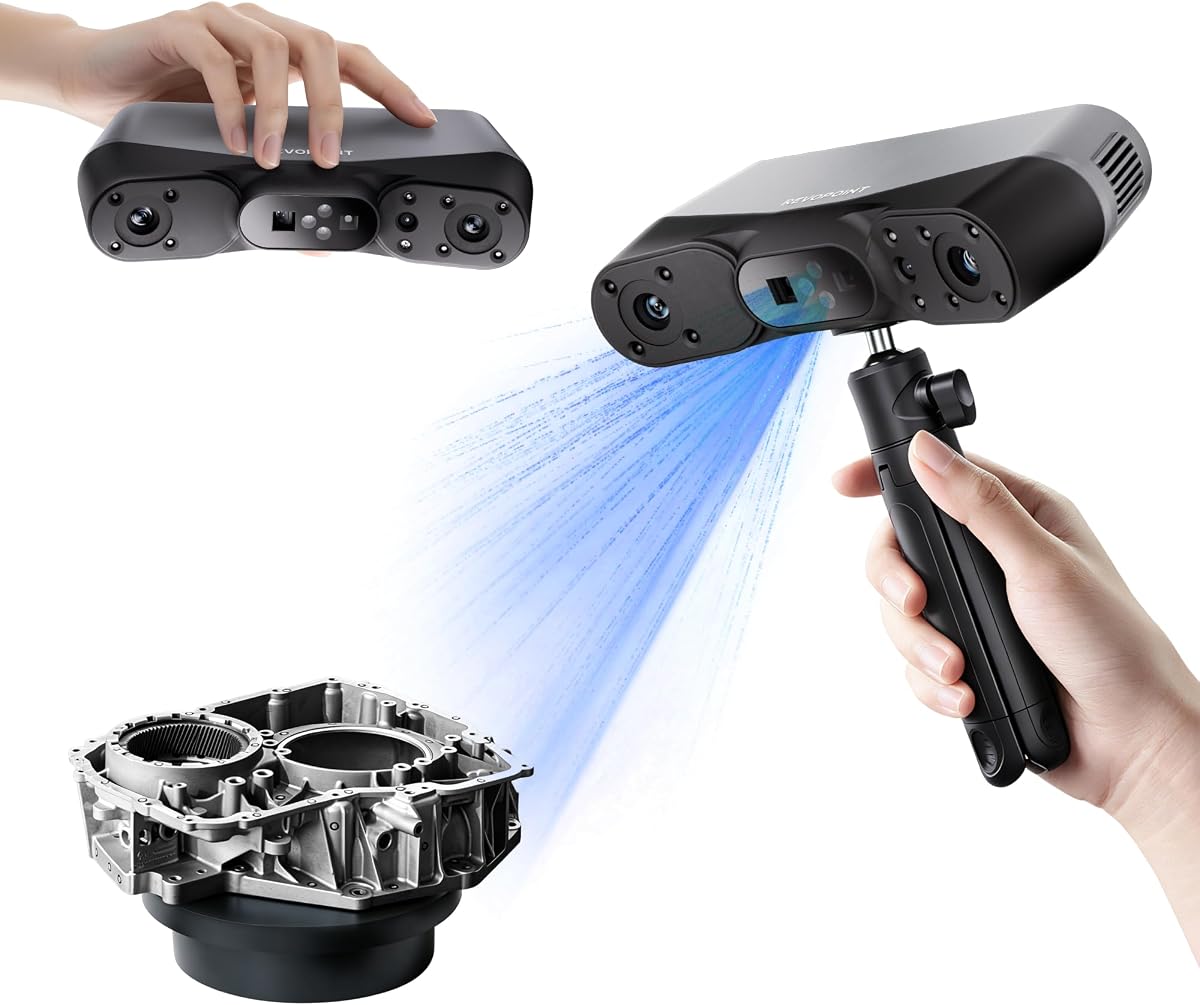
The Revopoint POP 4 offers industrial-grade accuracy with advanced AI segmentation that streamlines background removal. Its multi-line laser ensures fast, reliable scanning even in challenging outdoor conditions.
We may earn a commission when you buy through this link, at no additional cost to you.
Users benefit from 105 fps speed and five distinct modes, covering everything from deep holes to large parts. The Gaussian Splatting feature creates photorealistic models perfect for gaming and VR.
However, the software suite requires separate purchases for full features like Revo Design. Initial configuration might be daunting for beginners accustomed to simpler plug-and-play devices.
Ideal for field engineers and creators needing speed and robustness. The POP 4 balances precision with versatility for complex industrial or digital projects.
AI identifies target objects instantly and filters background noise automatically.
Stable performance up to 100,000 lux with filters for sunny environments.
We may earn a commission when you buy through this link, at no additional cost to you.
The INSPIRE 2 combines infrared structured light and multi-line laser to handle diverse materials. It is lightweight and features optical zoom for focusing on specific surface details effectively.
We may earn a commission when you buy through this link, at no additional cost to you.
With wireless streaming and calibration boards that boost accuracy by 75%, it supports remote workflows. The software allows one-click imports to CAD tools for streamlined design processes.
While efficient, it lacks some advanced capabilities found in premium models for very dark objects. The trade-off is a more affordable option that remains highly capable for general use.
Best suited for small businesses and designers seeking flexibility. It handles mixed-geometry surfaces well, making it a reliable partner for prototyping and preservation.
Weighing only 190g, it offers easy handling for long scanning sessions.
1.5x to 2x optical zoom helps capture fine details across various object sizes.
We may earn a commission when you buy through this link, at no additional cost to you.
MetroY Ultra delivers industrial-grade accuracy of 0.01mm for tight tolerance measurement. Its 34-laser cross-line mode enables rapid scanning of large areas without sacrificing detail.
We may earn a commission when you buy through this link, at no additional cost to you.
The device handles dark or shiny surfaces without spray, protecting delicate parts during inspection. Battery life supports extended field work, while Wi-Fi 6 keeps cables out of the way.
The precision comes with a higher cost and weight that requires stable mounting. Users must ensure their workflow supports high-end industrial software for best results.
Choose this for metrology and quality control tasks. It excels at inspecting complex geometries where accuracy is the top priority.
Flawlessly capture intricate details for reverse engineering and inspection.
Scan black, high-gloss, and metallic components directly without any spray.
We may earn a commission when you buy through this link, at no additional cost to you.
MetroX Pro uses blue laser technology for high-precision scanning up to 0.01mm. The auto-turntable simplifies capturing complex objects by automating the rotation process.
We may earn a commission when you buy through this link, at no additional cost to you.
Real-time streaming to phones and tablets offers better visibility during scans. Software tools allow efficient editing and exporting to major industry formats seamlessly.
Advanced features demand a powerful PC and some technical know-how to configure fully. It is not the simplest device for casual users wanting instant results.
This scanner suits professionals in manufacturing or design. It ensures accurate digital twins for parts requiring strict dimensional fidelity.
One-click auto turntable scans reduce manual intervention and error.
Global marker mode enhances accuracy for complex shapes and flat surfaces.
We may earn a commission when you buy through this link, at no additional cost to you.
The Fox offers an accessible medium-format solution with 0.07mm accuracy suitable for beginners. Its markerless AI relocks onto scanned areas quickly, making it forgiving for novices.
We may earn a commission when you buy through this link, at no additional cost to you.
The JMStudio software integrates scanning and optimization into one easy process. Despite being entry-level, it captures useful detail for 3D printing and hobby projects.
It lacks the advanced connectivity and speed of premium models but compensates with simplicity. Users should expect slightly longer processing times for complex meshes.
Ideal for hobbyists starting with 3D scanning. It balances cost and capability well for basic reverse engineering needs.
No markers needed to relock onto objects during handheld scanning.
JMStudio software handles editing and optimizing with one process.
We may earn a commission when you buy through this link, at no additional cost to you.
Otter Lite uses a quad-camera design to cover objects from coins to cars easily. Its infrared structured light captures details quickly with a 30fps scanning speed.
We may earn a commission when you buy through this link, at no additional cost to you.
The device handles dark surfaces without spray and offers full 24-bit color mapping. Eye-safe lasers make it suitable for facial and full-body scanning without risk.
While versatile, it lacks some specialized accessories included in other packages. Weight and size might be less comfortable for long periods compared to ultra-light models.
Great for automotive and machinery scanning. It balances size coverage with color fidelity for versatile industrial applications.
Quad-camera system scans objects from 0.8 inches up to 78 inches.
Class I laser safety ensures eye-safe face and full-body scanning.
We may earn a commission when you buy through this link, at no additional cost to you.
The Ferret SE is an upgraded desktop scanner designed for stable, error-free results. Its anti-shake tracking helps beginners capture smooth models even with shaky hands.
We may earn a commission when you buy through this link, at no additional cost to you.
With 30fps speed and flexible range, it handles medium to large objects efficiently. The color camera captures vivid details that bring models to life effectively.
Precision is moderate at 0.1mm, making it best for hobby projects rather than strict engineering. It remains a solid entry point for color scanning on a budget.
Recommended for casual users and small shops. It offers reliable performance for 3D printing and prototyping without high costs.
New technology ensures smooth error-free scanning even with shaky hands.
Optimized as a desktop 3D scanner for stable operation.
We may earn a commission when you buy through this link, at no additional cost to you.
Ferret Pro upgrades the basic model with WiFi 6 for faster data transfer. It is designed for mobility, allowing scanning without tethered connections to a PC.
We may earn a commission when you buy through this link, at no additional cost to you.
The scanner maintains anti-shake tracking and 30fps speed for consistent results. Its outdoor performance is reliable up to 30,000 lux for field work.
It may struggle with highly reflective surfaces and requires compatible mobile devices. The accuracy suits general hobbyist needs rather than precision engineering.
Ideal for mobile users needing wireless flexibility. It simplifies scanning workflows for designers and casual creators on the go.
WiFi 6 ensures stable efficient data transfer for high-precision scanning.
Reliable performance in outdoor environments with ambient light up to 30000 lux.
We may earn a commission when you buy through this link, at no additional cost to you.
MIRACO Plus is a standalone all-in-one scanner with integrated photogrammetric metrology. It features an 8-core processor and 32GB RAM to handle complex data processing locally.
We may earn a commission when you buy through this link, at no additional cost to you.
The device includes a photogrammetric kit for high-resolution capture of small details on large objects. A 6-inch flip screen and fast charging enhance usability during extended sessions.
Its price and weight reflect its professional features, making it less portable than basic models. However, the accuracy and processing power justify the investment for experts.
Choose this for comprehensive scanning and reverse engineering. It provides a complete solution for high-accuracy industrial and design tasks.
Photogrammetric metrology ensures high-resolution capture of small details on large objects.
8-core processor and 32GB RAM enable fast processing of high-frame scans.
We may earn a commission when you buy through this link, at no additional cost to you.
Selecting the right 3D scanner requires evaluating accuracy, speed, and software capabilities against your specific needs.
Accuracy determines how closely the digital model matches the real object. Higher accuracy like 0.03mm is essential for engineering and quality control tasks.
Prioritize models with low micrometer values if you need precise dimensions for manufacturing or fit testing.
Speed affects workflow efficiency especially when scanning large objects or multiple items. Faster frame rates reduce capture time and improve user experience.
Choose models with high FPS if you scan frequently or require quick turnaround for projects.
Some objects like black or metallic items need spray to capture details well. Look for scanners with infrared or blue laser that handle these without spray.
This feature saves prep time and keeps materials clean for sensitive parts.
Wireless models offer flexibility to move around while scanning. Wi-Fi 6 provides faster transfer speeds compared to older standards.
Ensure the scanner supports your preferred device whether PC tablet or phone for seamless integration.
Software tools help process align and export your scans effectively. Some manufacturers include basic apps while others require paid professional suites.
Check for features like AI hole filling and export formats that match your existing design software.
Lightweight scanners reduce fatigue during long sessions and are easier to carry outdoors. Battery life also impacts how long you can scan away from power.
Select ergonomic designs with decent battery capacity if field work is part of your routine.
True-to-life color mapping adds realism to 3D models used for visualization. Look for built-in RGB cameras that sync geometry with texture data.
This is crucial for applications like heritage preservation or product visualization where appearance matters.
Prices range significantly from affordable entry-level tools to industrial solutions. Balance the features you need against the cost to avoid overspending.
Invest in higher-end models only if your work demands strict tolerance or complex surface capture.
Begin by calibrating the scanner using the provided board to ensure accuracy. Follow the manufacturer app to update firmware before scanning.
Keep surfaces clean and free from dust to improve data quality. For dark or shiny objects use recommended settings instead of spray whenever possible.
Store the scanner in a dry and cool place to protect internal components. Clean lenses gently with a soft cloth and avoid exposing them to direct sunlight.
Many modern scanners operate via mobile apps or built-in screens reducing reliance on PCs. However some advanced models still require a computer for full processing power.
Yes many newer scanners use infrared or blue laser technology to capture dark and metallic surfaces directly. This avoids the mess of spraying and saves preparation time.
Most support industry-standard formats like STL OBJ PLY and ASC. These are compatible with major CAD and 3D printing software for easy workflow integration.
High-end models include filters to handle bright sunlight up to 100,000 lux. Basic units might struggle in harsh light so check specs before outdoor use.
Regular calibration using the included board keeps measurements precise. Store the device properly and avoid physical shocks to maintain performance.
Some apps offer basic editing and merging tools directly on mobile devices. Complex repairs usually require desktop software though for best results.
The Creality Pika and Revopoint MIRACO Plus lead the market for accuracy and versatility respectively. Each model offers distinct strengths tailored to different professional needs.
Prioritize features like wireless connectivity and surface handling based on your typical use case. Balancing these factors ensures you select a tool that fits your workflow.
Prices and availability fluctuate so confirm current details before making your final decision. Choosing the right scanner today will streamline your digital modeling efforts.