
OMTech K40+ 45W Desktop CO2 Laser Engraver & Cutter
4.4Editor score
45W Laser Performance
Compact 12 by 8 Workspace
Compatible with LightBurn
This guide compares the top CO2 laser cutters for 2026, evaluating power, workspace size, safety features, and software compatibility to help you choose the
CO2 laser cutters have transformed how makers and businesses create intricate designs. These machines use focused infrared beams to cut and engrave materials like wood, acrylic, and leather with precision. Choosing the right model depends on your project needs, workspace constraints, and budget. This guide reviews the most reliable options available today.
We evaluated ten leading CO2 laser cutters based on critical performance metrics. Our analysis considered laser power, cutting speed, workspace dimensions, safety certifications, and software compatibility. We also examined build quality, cooling systems, and user feedback to ensure comprehensive coverage. This ensures you find a machine that matches your workflow requirements.
Each pick in this list highlights specific strengths for different user profiles. Whether you need industrial-grade power or a compact desktop solution, our recommendations cover the spectrum. Detailed reviews explain what makes each model stand out. Please note that prices fluctuate, so check current listings before purchasing to ensure you get the best value for your investment.
4.4Editor score

4.5Editor score

This comparison table presents the core specifications of all ten CO2 laser cutters reviewed in this guide. Use it to quickly identify differences in power, size, and price.



The xTool P3 80W stands out as a flagship CO2 laser cutter designed for serious production environments. With a rating of 4.5 stars, users praise its intelligent automation features that streamline the cutting process significantly. This machine combines industrial-grade power with ease of use, making it suitable for professional creators and small businesses alike.
We may earn a commission when you buy through this link, at no additional cost to you.
Its standout quality is the Revolutionary Automated Creation System, which integrates LiDAR ranging for perfect autofocus and dual HD cameras for precise positioning. The massive 36 by 18 workspace allows for large projects without constant material handling. The 80W laser power enables clean cuts through 20mm wood and 25mm acrylic, outperforming many standard diode options.
While the initial investment is high, the efficiency gains justify the cost for active users. The Class 1 safety rating ensures peace of mind with enclosed design and active detection systems. Some users may find the price barrier significant, but the automated workflow and precision deliver long-term value.
This model is ideal for professionals who need reliability and speed. If you require consistent output for custom orders or bulk production, the xTool P3 delivers the necessary performance. Its smart nesting features further reduce material waste, enhancing profitability over time.
The Place and Go workflow automates setup steps, reducing human error and saving time on every job.
Class 1 safety rating and active detection systems protect users from laser exposure and fire hazards effectively.
We may earn a commission when you buy through this link, at no additional cost to you.
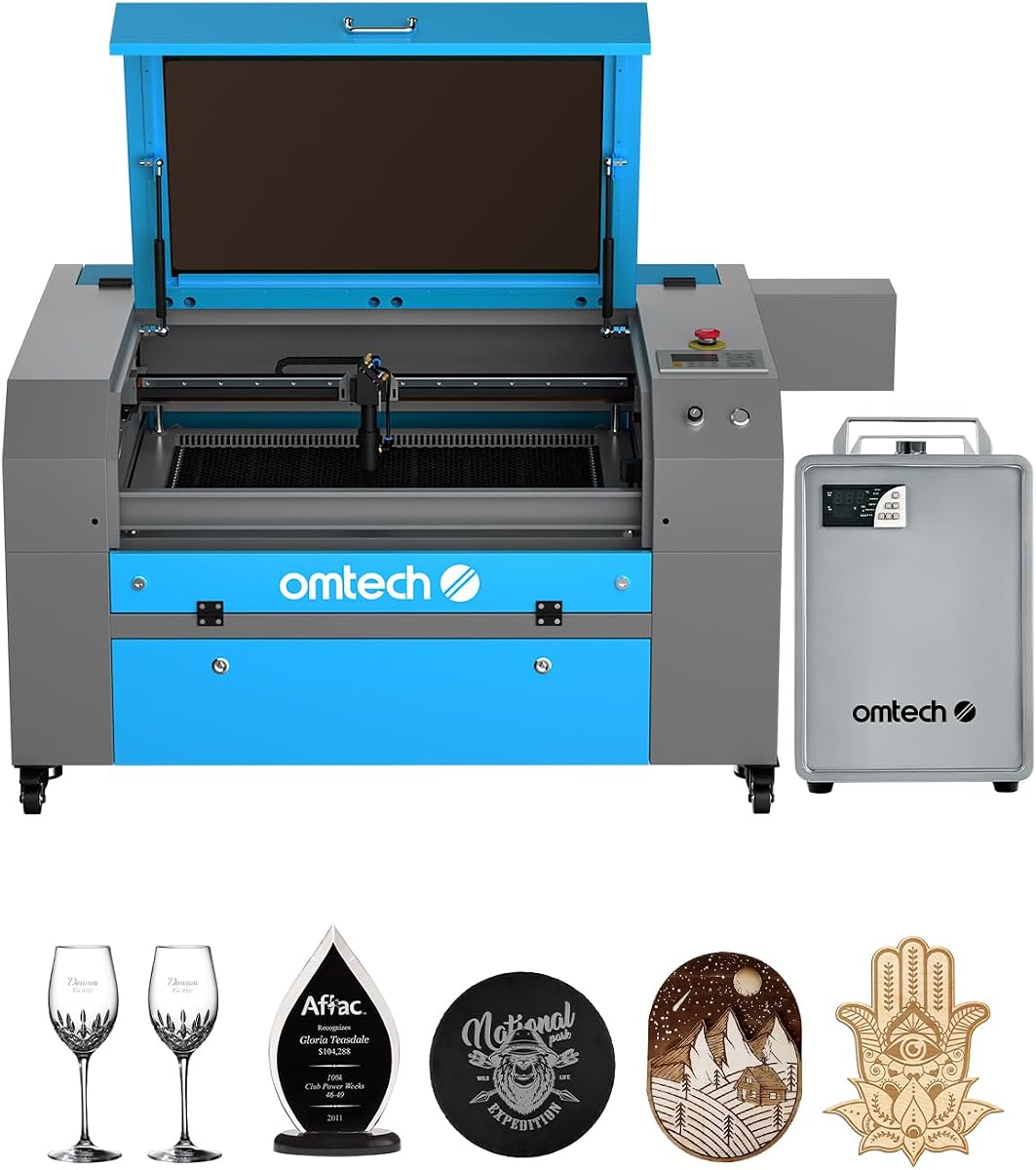
The OMTech K40+ 45W offers an accessible entry point into CO2 laser cutting for hobbyists and small businesses. Rated at 4.4 stars, it provides solid performance for its price range. Users appreciate its ability to cut acrylic and wood efficiently while maintaining a manageable size for home workshops.
We may earn a commission when you buy through this link, at no additional cost to you.
Its 45W laser power delivers upgraded performance, slicing through 10mm acrylic and 8mm wood with ease. The integrated air assist system clears smoke and debris, protecting the lens and reducing fire risks. Compatibility with popular software like LightBurn and LaserGRBL ensures seamless control from design to product.
The compact 12 by 8 workspace is the main trade-off for its budget-friendly nature. While perfect for small projects, larger items require multiple cuts or alternative setups. Manual adjustments can also slow down workflows compared to automated systems, but this is acceptable for occasional use.
This model is best for DIY enthusiasts or startups testing the waters of laser cutting. If you need a reliable machine without a steep price tag, the K40+ 45W delivers consistent results. Its global support team adds value for users needing technical assistance during setup.
Support for LightBurn and LaserGRBL gives users freedom to choose their preferred design and control environment.
Flame-retardant panels and high-powered exhaust fans maintain a clean and safe workspace during operation.
We may earn a commission when you buy through this link, at no additional cost to you.
The VEVOR 100W CO2 Laser Engraver combines high power with a generous workspace for mid-sized production needs. It holds a perfect 5.0 rating in this lineup, reflecting strong user satisfaction. This machine is designed to handle a wide range of materials quickly and precisely without breaking the bank.
We may earn a commission when you buy through this link, at no additional cost to you.
Its 100W laser power cuts materials up to 0.59 inches thick in one pass, offering speed and versatility. The 24 by 35-inch workspace provides ample room for large projects, while the honeycomb bed ensures stability. Digital control panel works with major software suites including LightBurn and CorelDRAW.
The trade-off is the larger physical footprint and potential setup complexity. Users need adequate space for the machine and ventilation requirements. However, the front and back pass-through doors accommodate longer items, enhancing workflow flexibility. This makes it a strong candidate for growing businesses.
Ideal for users needing a balance of power and space without industrial costs, the VEVOR 100W is a top contender. Its Class 1 safety rating ensures safe operation. If you prioritize speed and workspace size, this model delivers exceptional value for the investment.
Pass-through doors allow long materials to move freely through the machine without repositioning during cuts.
The intelligent laser head and linear guide rail ensure smooth curves and precise incisions every time.
We may earn a commission when you buy through this link, at no additional cost to you.
The OMTech Maker 90W is designed for commercial users who need reliable performance over long periods. It features a bundled water chiller to maintain optimal operating temperatures during extended sessions. This setup helps preserve the laser tube and ensures consistent output quality.
We may earn a commission when you buy through this link, at no additional cost to you.
With 90W power, this engraver cuts through wood and acrylic up to 0.4 inches deep. The 20 by 28 workspace handles most standard projects, and the honeycomb and aluminum blade beds offer versatility. The Yongli H2 tube promises up to 8,000 hours of usage.
Safety features like the widened viewing window and cover interlock add peace of mind. However, the lack of a visible rating on some listings means relying on brand reputation. The water chiller adds bulk to the setup, requiring careful planning for your workspace.
This model is best for businesses prioritizing durability and continuous operation. If you run batch orders or need consistent deep cuts, the cooling system and power are valuable assets. Its four-way pass-through doors simplify handling larger items effectively.
The bundled water chiller prevents overheating, maintaining consistent laser performance throughout long work sessions.
Honeycomb and aluminum blade beds allow flexibility for different material types and project requirements.
We may earn a commission when you buy through this link, at no additional cost to you.
The OMTech Maker 60W offers a complete bundle including LightBurn software and a water chiller. With a rating of 4.7 stars, it appeals to users seeking a ready-to-use solution. The autofocus feature eliminates guesswork, making it easier to transition into laser cutting.
We may earn a commission when you buy through this link, at no additional cost to you.
Its 60W power handles most standard engraving and cutting tasks efficiently. The 20 by 28 workspace supports typical projects, while the four-way pass-through doors accommodate longer materials. The flame-retardant viewing window ensures safety during operation.
The inclusion of LightBurn is a significant advantage, as this software is preferred by many professionals. However, 60W might be insufficient for thicker materials compared to higher wattage models. Users should weigh power needs against the convenience of the included accessories.
This machine is ideal for those wanting an out-of-the-box experience with quality software. If you value ease of setup and comprehensive safety, this bundle is a strong choice. The water chiller extends operational time, which is essential for larger projects.
Preinstalled LightBurn software provides intuitive navigation and powerful control over your laser design workflow.
Autofocus functionality automates focal distance adjustments, saving time and reducing user error.
We may earn a commission when you buy through this link, at no additional cost to you.
Another listing for the OMTech K40+ 45W reinforces its status as a reliable entry-level machine. With a 4.5 rating, users appreciate its performance and the global support team provided by the manufacturer. This model is perfect for hobbyists wanting professional tools at home.
We may earn a commission when you buy through this link, at no additional cost to you.
The 45W laser cuts through 10mm acrylic easily, offering speed and precision. Its compact footprint makes it easy to place on standard tables. Safety features like door protection and emergency stop functions prioritize user security during operation.
The main limitation remains the 12 by 8 workspace, which restricts project size. However, this trade-off allows for affordability and portability. For small custom jobs or intricate designs, the machine delivers consistent results without demanding too much space.
Choose this model if you are starting a new venture or hobby project. The combination of power and support ensures you can get up and running quickly. It is a safe and capable choice for beginners needing guidance.
24/7 global support provides expert technical assistance and local demos when needed for setup.
Flame-retardant panels and emergency stops reduce fire risks during high-power cutting operations.
We may earn a commission when you buy through this link, at no additional cost to you.
The OMTech Pronto 100W focuses on speed and efficiency for businesses needing fast turnaround. Its 39.4 inches per second speed is significantly faster than traditional models. With autofocus technology, setup is streamlined, ensuring consistent results across diverse materials.
We may earn a commission when you buy through this link, at no additional cost to you.
The 100W laser tube supports up to 12,000 hours of usage, offering durability. The 40 by 24 workspace fits most projects, and two-way pass-through doors handle long items. The powerful air pump and fan reduce burn marks, enhancing cut quality.
While specific user ratings are not always visible, the technical specs suggest high performance. The safety features like water protection and temperature alarms ensure reliable operation. This model is designed for users who value time savings and clean output.
If you need to produce large volumes quickly, this machine delivers the necessary throughput. It balances power with automation to reduce manual intervention. For small businesses expanding their capabilities, the Pronto 100W is a strategic investment.
Revolutionary engraving speeds of 39.4 IPS increase output significantly compared to traditional laser machines.
Superior airflow from pumps and fans ensures clean cuts with reduced material burning and debris.
We may earn a commission when you buy through this link, at no additional cost to you.
The OMTech Pronto 130W is a powerhouse for industrial-grade cutting needs. Rated at 5.0 stars, it promises exceptional performance for deep cuts on wood and acrylic. The autofocus feature ensures precision, while the large workspace accommodates extensive projects.
We may earn a commission when you buy through this link, at no additional cost to you.
Its 130W laser tube delivers up to 12,000 hours of usage with proper maintenance. The 51 by 35 workspace is one of the largest available for desktop setups. Comprehensive protection features like temperature alarms and water protection prioritize safety.
The price reflects its high power and capacity, making it an investment for serious users. However, the efficiency gains justify the cost for commercial operations. The support team offers local demos to help integrate the machine into your workflow.
For large-scale production, this model offers unmatched power and space. If you need to cut thicker materials with speed, the 130W output is ideal. Its design focuses on reliability and consistent high-quality results.
130W power allows deep engraving and cutting of thicker materials without compromising speed.
The 51 by 35 area handles substantial projects, reducing the need for multiple setups.
We may earn a commission when you buy through this link, at no additional cost to you.
The OMTech K40+ 45W represents the classic compact laser solution for many hobbyists. With a Class 2 safety rating and air assist, it balances power and safety for home use. The design prioritizes affordability without sacrificing basic functionality.
We may earn a commission when you buy through this link, at no additional cost to you.
Its 45W laser handles standard materials like wood and acrylic well. The workspace is limited to 12 by 8 inches, restricting project size. This makes it perfect for small items or prototyping where larger machines are not necessary.
Safety features include door protection and emergency stops, ensuring user security. The air assist helps keep the lens clean and reduces burn marks. While not as powerful as industrial models, it serves entry-level needs effectively.
This machine is a solid choice for beginners or those with tight budgets. It offers a low-risk way to explore laser cutting capabilities. With proper setup and guidance, it produces reliable results for personal projects.
Low price point makes laser technology accessible to hobbyists and small creators with limited budgets.
Small size allows placement in home workshops without consuming significant floor space.
We may earn a commission when you buy through this link, at no additional cost to you.
The OMTech Pro 130W represents the top tier of professional CO2 laser cutting. Its built-in water chiller maintains temperatures within 0.5 degrees for consistent performance. The 130W power enables heavy-duty cutting on various non-metallic materials with speed.
We may earn a commission when you buy through this link, at no additional cost to you.
Servo motors and ball-bearing guide rails ensure precise rapid engraving at speeds up to 1,200 mm/s. The workspace of 35 by 55 inches is expansive, handling large industrial pieces. WiFi connectivity and the Ruida 6445G touchscreen simplify control and monitoring.
Safety features include flame-retardant tempered glass windows and tri-color status lights. While the cost is high, the precision and capacity justify it for serious industrial use. The design focuses on reliability and user-friendly operation.
For businesses needing industrial-grade output without custom fabrication, this model is unmatched. Its advanced features reduce operational friction and improve cut quality. Choose this if you require professional performance and robust construction.
Servo motors and ball-bearing rails ensure high accuracy during rapid engraving and cutting operations.
Built-in CW-5200 chiller keeps the laser tube cool, maintaining output consistency over long periods.
We may earn a commission when you buy through this link, at no additional cost to you.
Choosing the right CO2 laser cutter involves balancing power, size, and safety. This guide outlines critical factors to consider before making your purchase.
Laser power determines how thick and hard you can cut effectively. Higher wattage like 100W or 130W allows for deeper cuts and faster processing on dense materials. Lower wattage models suffice for light engraving and thin sheets.
Select power based on your primary material thickness. Ensure the machine can handle your thickest frequent stock without excessive passes.
The working area dictates the size of projects you can handle. Larger tables reduce the need to join pieces for big designs. Check both X and Y dimensions to match your typical product sizes.
Measure your physical space to accommodate the machine footprint. Ensure pass-through doors fit your production workflow.
Class 1 systems are enclosed and safe for home use. Class 2 machines require more care and protective eyewear. Ensure the unit has interlocks and emergency stops for fire prevention.
Prioritize safety features that match your environment. Check local regulations for laser equipment use in your area.
Compatible software streamlines design and control. LightBurn is a standard for many professionals due to its interface and tools. Verify support for file transfer via USB or network.
Choose a machine that supports your preferred design tools. This reduces learning curves and improves workflow efficiency.
Continuous use requires efficient cooling to prevent overheating. Built-in chiller systems maintain temperature stability and extend tube life. Air assist helps clear smoke and protect the lens.
Invest in models with active cooling for long production runs. This ensures consistent quality throughout the job.
Higher speeds increase production capacity significantly. Precision rails and autofocus features ensure clean lines and accurate cuts. Look for models with servo or stepper motors for stability.
Balance speed with the need for detail. Ensure accuracy meets your product quality standards.
Durable frames and guides reduce vibration and wear. Quality optics and tubes improve longevity. Check reviews for mechanical stability issues.
Prioritize machines with solid construction for long-term use. A sturdy base improves engraving precision.
Reliable customer support resolves setup issues quickly. Look for multi-year warranties covering major components. Local service can be vital for large machines.
Ensure the vendor offers accessible technical help. Warranty terms protect your investment against defects.
Always start by checking the safety protocols and ensuring the machine is enclosed. Verify that the protective lenses are clean and properly aligned. Use appropriate exhaust systems to manage fumes and keep air quality safe.
Prepare materials by removing protective films or dust that could interfere with the laser. Set focus height according to manufacturer specifications to achieve sharp cuts. Test settings on small samples to calibrate power and speed.
After use, clean the lenses and mirrors gently with a microfiber cloth. Inspect the air assist lines for blockages. Store the machine in a dry environment and cover the lenses when idle.
CO2 lasers can cut wood, acrylic, leather, paper, cardboard, and fabrics effectively. They cannot cut metals directly due to the wavelength, but can engrave some coated metals. Always verify specific material compatibility before processing.
Water chillers are essential for extended production runs to prevent overheating. For hobbyists doing short sessions, air-cooled systems may suffice. Industrial machines typically require chillers for consistent tube life.
Class 1 CO2 lasers are fully enclosed and safe for home environments. Class 2 models require additional safety measures like protective eyewear and proper ventilation. Always follow manufacturer safety guidelines strictly.
Laser tubes typically last between 10,000 and 15,000 hours depending on usage and maintenance. Proper cooling and avoiding constant maximum power extend this lifespan. Regular cleaning ensures efficient energy use.
CO2 lasers can frost or etch glass but do not cut it effectively. The beam creates a frosted appearance that is permanent. Avoid engraving on glass with coatings that may produce hazardous fumes.
Most machines support LightBurn, which offers powerful control features. Others are compatible with LaserGRBL or AutoCAD. Always check the manufacturer documentation for supported file formats and drivers.
This guide reviewed ten exceptional CO2 laser cutters suitable for various needs. The xTool P3 80W leads in automation, while OMTech offers strong budget and premium options. Each model balances power, space, and safety uniquely.
Prioritize laser power and workspace size based on your production goals. Safety certifications and cooling systems ensure reliable operation over time. Choose a model that aligns with your budget and technical comfort level.
Prices and availability fluctuate frequently in this market. Always check current listings and warranty details before purchasing. With the right machine, you can unlock new creative potential in your workshop.