
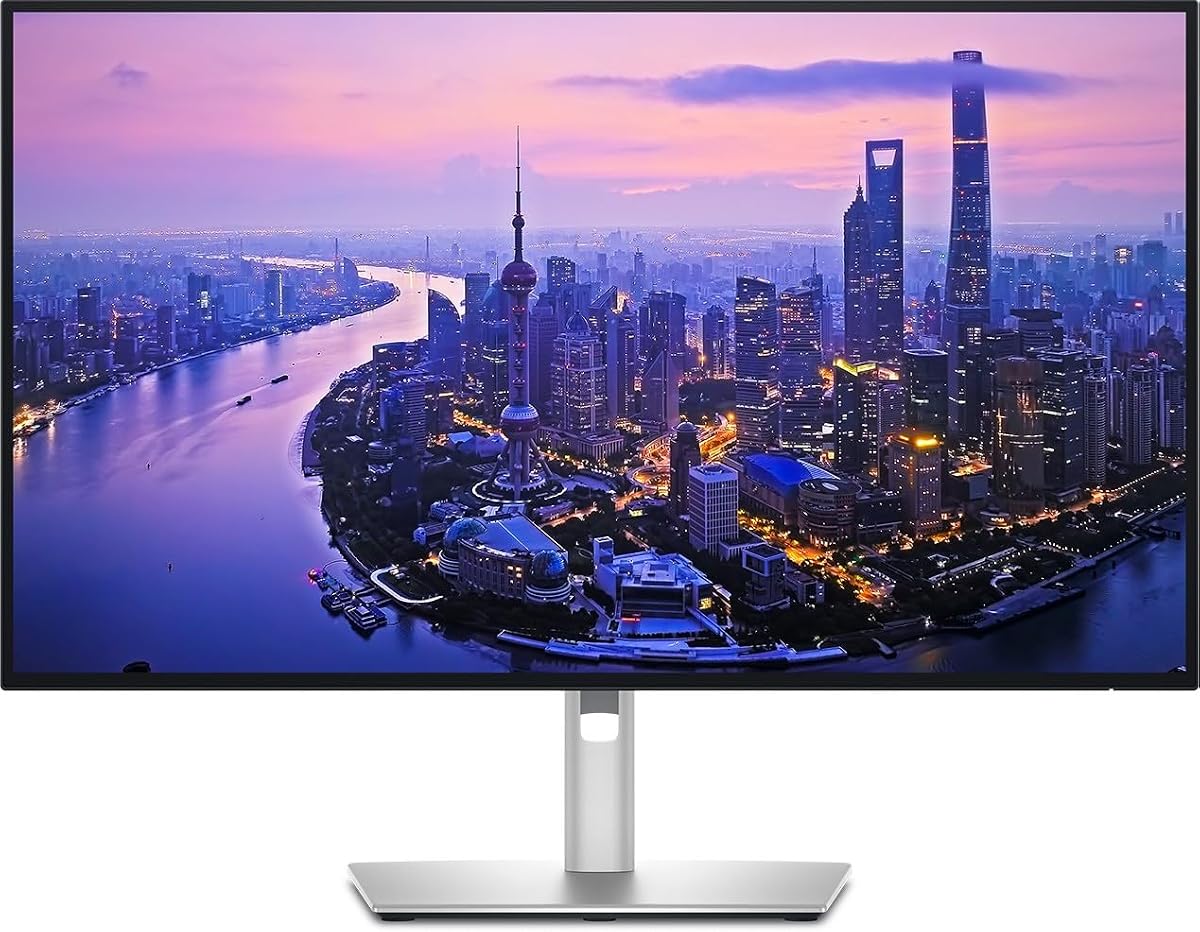
Dell UltraSharp 32 Thunderbolt Hub Monitor
4.6Editor score
99% Display P3 coverage
Daisy chain support
Built-in KVM switch
Finding the right display for your workspace requires balancing resolution, connectivity, and color accuracy. Thunderbolt technology offers a streamlined solution for modern laptops and desktops.
We evaluated ten top-rated models based on panel quality, port selection, and ergonomic design. Each pick supports high-speed data transfer and single-cable charging for diverse workflows.
Every product entry highlights key strengths and potential limitations to help you decide. Keep in mind that availability and pricing fluctuate frequently across retailers.
4.6Editor score
4.4Editor score

4.1Editor score
As an Amazon Associate we earn from qualifying purchases.
The following table provides a side-by-side look at the core specifications and features of each model to simplify your selection process.


The Dell S2725QC stands out as a versatile option for general productivity and light creative work. With a solid rating and robust feature set, it balances performance with accessibility.
We may earn a commission when you buy through this link, at no additional cost to you.
Its 120Hz refresh rate delivers smooth motion which is rare for 4K panels at this tier. The IPS technology ensures wide viewing angles and consistent color reproduction across the screen.
While it lacks the highest power delivery wattage, it simplifies desk setup effectively. Users will appreciate the reduced blue light emissions for long sessions without color compromise.
This model is ideal for those seeking an affordable Thunderbolt experience without sacrificing core display quality. It handles everyday tasks with ease and connects seamlessly to modern laptops.
The 120Hz refresh rate ensures fluid scrolling and motion handling for a comfortable viewing experience.
ComfortView Plus technology lowers blue light emissions to help reduce eye strain during extended use.
We may earn a commission when you buy through this link, at no additional cost to you.
This monitor represents a significant step up in display technology with its IPS Black panel. It delivers richer blacks and better contrast than standard IPS screens.
We may earn a commission when you buy through this link, at no additional cost to you.
Professionals will value the factory calibration ensuring accuracy from the first day. The 140W power delivery can charge even high-performance laptops through a single cable.
Daisy chaining allows connecting multiple displays without cluttering the dock. This feature is crucial for setups requiring extended screen real estate efficiently.
Ideal for designers and power users needing top-tier color fidelity and connectivity. It justifies the cost with features that enhance daily workflow significantly.
IPS Black technology offers significantly improved contrast ratios for more lifelike image rendering.
Up to 140W of power delivery keeps high-end laptops charged while running heavy workloads.
We may earn a commission when you buy through this link, at no additional cost to you.
This larger model caters specifically to creative professionals requiring precision and space. The 32-inch panel provides ample room for complex editing projects.
We may earn a commission when you buy through this link, at no additional cost to you.
The built-in KVM switch simplifies switching between two computers using one keyboard and mouse. This efficiency is invaluable for hybrid work environments.
Factory calibration and Display P3 coverage ensure edits translate correctly to other devices. It meets strict color standards required for print and digital media.
Best suited for those who need a dedicated high-performance station. The investment delivers superior comfort and control for demanding daily tasks.
The KVM switch allows seamless control of multiple devices without extra peripherals.
Factory calibration ensures Delta E less than 1.5 for professional grade color accuracy.
We may earn a commission when you buy through this link, at no additional cost to you.
This variant emphasizes connectivity with a built-in Thunderbolt hub. It transforms your workspace by consolidating cables and peripherals into one central point.
We may earn a commission when you buy through this link, at no additional cost to you.
With diverse port options you can connect legacy devices and modern drives easily. The stand offers full adjustability for optimal viewing posture.
The single cable connection reduces clutter significantly on your desk. It aligns with Dell's commitment to sustainability through efficient design.
Ideal for users prioritizing hub capabilities over raw speed. It supports a clean and organized environment for professional office settings.
Integrated Thunderbolt hub simplifies connectivity for multiple peripherals and storage.
Constructed with sustainable materials to reduce environmental impact.
We may earn a commission when you buy through this link, at no additional cost to you.
LG brings unique streaming capabilities to this ultrafine model. The integration of webOS allows direct access to media apps without a PC.
We may earn a commission when you buy through this link, at no additional cost to you.
HDR400 support enhances visuals making dark scenes brighter and more visible. This feature aids gaming and media consumption significantly.
The 90W power delivery keeps laptops charged during use. It also includes built-in speakers reducing the need for external audio.
Perfect for users wanting a versatile monitor with entertainment features. It blends work functionality with home entertainment options seamlessly.
Built-in webOS lets you stream content directly from the monitor.
DisplayHDR 400 ensures better visibility in dark scenes.
We may earn a commission when you buy through this link, at no additional cost to you.
This refurbished unit offers high-end features at a more accessible price point. It retains the core strengths of the UltraSharp series.
We may earn a commission when you buy through this link, at no additional cost to you.
Thunderbolt hub connectivity ensures you maintain a clean desk setup. The model supports full ergonomic adjustments for comfort.
Savings here allow for investment in other accessories. It serves as a practical solution for budget-conscious professionals.
Best for buyers willing to consider refurbished goods. The performance matches new units without the full price tag.
Access premium features like Thunderbolt hub at a reduced cost.
Refurbished units undergo testing to ensure consistent performance.
We may earn a commission when you buy through this link, at no additional cost to you.
This compact model is tailored for macOS users needing precision. The Pantone validation guarantees accurate color reproduction for creative tasks.
We may earn a commission when you buy through this link, at no additional cost to you.
Thunderbolt 4 support provides fast data transfer and reliable connectivity. Its smaller size fits well on crowded desks or co-working spaces.
The ergonomic stand allows precise height and rotation adjustments. This flexibility helps maintain a healthy posture during long work hours.
Ideal for freelancers or designers using MacBook Pros. It offers professional color fidelity in a space-saving package.
Designed to align with the color standards of the Mac ecosystem.
Certified for pinpoint color fidelity essential for professional outputs.
We may earn a commission when you buy through this link, at no additional cost to you.
The ViewFinity S7 offers exceptional clarity with its large 32-inch display. It is highly rated for its visual excellence in various industries.
We may earn a commission when you buy through this link, at no additional cost to you.
Eye Saver Mode reduces blue light to prevent strain during long sessions. HDR10 optimizes contrast for vibrant images and deeper blacks.
A slim bezel design creates a borderless look when used in multi-screen setups. It maintains a clean aesthetic for modern workspaces.
Best for users prioritizing screen size and eye comfort over Thunderbolt. It delivers a premium viewing experience at a competitive price.
Eye Saver Mode minimizes blue light to reduce strain effectively.
HDR10 support ensures deep blacks and bright highlights.
We may earn a commission when you buy through this link, at no additional cost to you.
This monitor provides significant screen real estate for detailed workflows. The 32-inch size reduces the need for multiple displays.
We may earn a commission when you buy through this link, at no additional cost to you.
An integrated Thunderbolt hub streamlines peripheral connections effectively. It boosts efficiency by centralizing connectivity points.
HDR visuals ensure crisp text and sharp images. The sleek design complements any professional environment well.
Ideal for professionals needing one large canvas for complex tasks. It combines usability with a modern aesthetic.
Maximize your workflow with expansive screen real estate.
Integrated Thunderbolt hub offers versatile connectivity options.
We may earn a commission when you buy through this link, at no additional cost to you.
This model excels with dual Thunderbolt 3 ports for complex setups. It allows daisy chaining to create a seamless multi-monitor environment.
We may earn a commission when you buy through this link, at no additional cost to you.
VA panel technology offers deep blacks ideal for media consumption. Picture-by-Picture mode lets you view two sources simultaneously.
The stand offers full adjustability for comfortable viewing angles. It suits offices where dual inputs are necessary.
Best for users needing multiple inputs and a large view. It provides versatile connectivity at a reasonable price.
Dual Thunderbolt 3 ports support simplified dual UHD setups.
View two separate sources simultaneously for improved productivity.
We may earn a commission when you buy through this link, at no additional cost to you.
Selecting the right Thunderbolt monitor involves evaluating specific features that match your workflow and hardware needs.
IPS panels offer better color accuracy and viewing angles which are critical for creative work. VA panels provide deeper blacks and higher contrast ratios suitable for media consumption. Consider your primary use case when choosing between these technologies.
Prioritize IPS if color fidelity is your main goal. Choose VA if contrast and visual depth matter more to you.
Thunderbolt 4 offers slightly higher data speeds and better host control than version 3. Most modern displays now support this newer standard ensuring future compatibility. Verify your laptop supports the same generation for optimal performance.
Always check the specifications to confirm Thunderbolt 4 support. This ensures maximum bandwidth for video and data transfer.
Higher wattage delivery allows you to charge powerful laptops without separate chargers. Models offering 90W to 140W are ideal for high-performance workstations. Lower wattage might suffice for ultrabooks but limits charging speed.
Select a monitor with power delivery that matches your laptop's needs. This eliminates cable clutter and keeps devices powered.
Look for factory calibration and wide color gamut coverage like 99% sRGB or DCI-P3. High-end models provide Delta E values below 1.5 for professional precision. This is vital for photographers and video editors needing true-to-life colors.
Check for calibration reports or specific color coverage stats. Accurate colors save time on post-processing and printing.
Built-in Thunderbolt hubs can transform a monitor into a full docking station. Look for models with multiple USB-A ports Ethernet jacks and audio outputs. This centralizes your peripherals and reduces cable strain.
Choose a monitor with the hub features you need most. Integrated hubs simplify desk organization significantly.
A fully adjustable stand with tilt swivel height and pivot options is crucial for long work sessions. VESA mounting compatibility allows you to use custom arms or wall mounts if needed. Comfort is key to preventing physical strain.
Ensure the stand allows you to position the screen at eye level. Proper ergonomics prevent neck and back pain over time.
While 60Hz is standard for productivity 120Hz offers smoother scrolling and motion. This makes a difference for designers and general users alike. Higher refresh rates improve the fluidity of your daily tasks.
Opt for 120Hz if you want a smoother experience. It enhances the overall responsiveness of the display.
Smaller monitors like 24 inches save space while 32 inches provide a wide workspace. Consider your desk depth and viewing distance. A larger screen reduces the need for multiple monitors in some cases.
Match the size to your desk and viewing habits. A 32-inch model can replace a dual setup effectively.
Start by connecting your laptop to the monitor using a certified Thunderbolt cable. Ensure the cable is rated for 40Gbps speeds to handle video and data simultaneously without issues.
Calibrate your display settings using the on-screen menu to match your workspace lighting. Adjust brightness and contrast to reduce eye strain and maintain consistent color output throughout the day.
Clean the screen with a microfiber cloth and a specialized screen cleaner solution. Avoid harsh chemicals or paper towels which can scratch the surface or damage the protective coating.
Yes using a certified Thunderbolt cable is essential for optimal performance. Standard USB-C cables may not support the required bandwidth for video and power. Ensure the cable is rated for 40Gbps to match the monitor capabilities.
Many Thunderbolt monitors support daisy chaining allowing you to connect multiple displays using one cable. Verify that your laptop supports Thunderbolt daisy chaining to utilize this feature effectively. This setup keeps your desk tidy and organized.
For most laptops 65W to 90W is sufficient. High-performance workstations may require 100W or more to run and charge simultaneously. Check your laptop power requirements to select a suitable model.
IPS panels generally offer better color accuracy and wider viewing angles. VA panels provide deeper blacks and higher contrast ratios. Your choice depends on whether color fidelity or contrast is more important to you.
Thunderbolt monitors often include high refresh rates suitable for gaming. However the primary benefit is connectivity rather than gaming performance. Look for features like AMD FreeSync or G-Sync compatibility.
A KVM switch lets you control two computers with one keyboard and mouse. This feature saves space and reduces the need for duplicate peripherals. It is highly useful for users with multiple devices.
Yes most Thunderbolt monitors work seamlessly with Windows laptops. Ensure your system supports Thunderbolt to access full features like power and data. Compatibility is generally high across major brands.
Use a soft microfiber cloth to wipe away dust and fingerprints. Avoid spraying liquid directly on the screen and use a specialized solution. Harsh chemicals can damage the screen coating over time.
Our top picks highlight models that balance performance connectivity and design for diverse needs. The Dell UltraSharp series leads in professional features while budget options provide solid entry points.
Prioritize power delivery and color accuracy based on your specific work tasks. Choosing the right model ensures your workspace remains efficient and comfortable for years.
Remember to check current availability before making a purchase to secure the best deal. Technology evolves quickly and having the right monitor enhances daily productivity.