
Lenovo 15.6 IdeaPad
AMD Athlon Silver 7120U
External DVD Player Bundle
Affordable Price Point
This guide compares the top laptops with DVD drives for 2026, evaluating performance, display quality, and value for business and home users.
Finding a laptop with a DVD drive in 2026 is increasingly difficult as manufacturers prioritize thin designs. Many users still rely on optical media for software installation or media playback.
We analyzed ten real models available on the market, focusing on processors, memory, storage, and the inclusion of internal or external optical drives to help you find the right fit.
Each selection highlights specific strengths like screen size, battery life, or portability. Note that prices and availability fluctuate frequently, so verify details before purchasing.

4.5Editor score

4.1Editor score
The following table provides a side-by-side comparison of all ten selected laptops. Review the key specifications to identify which model aligns best with your specific performance needs and budget constraints.

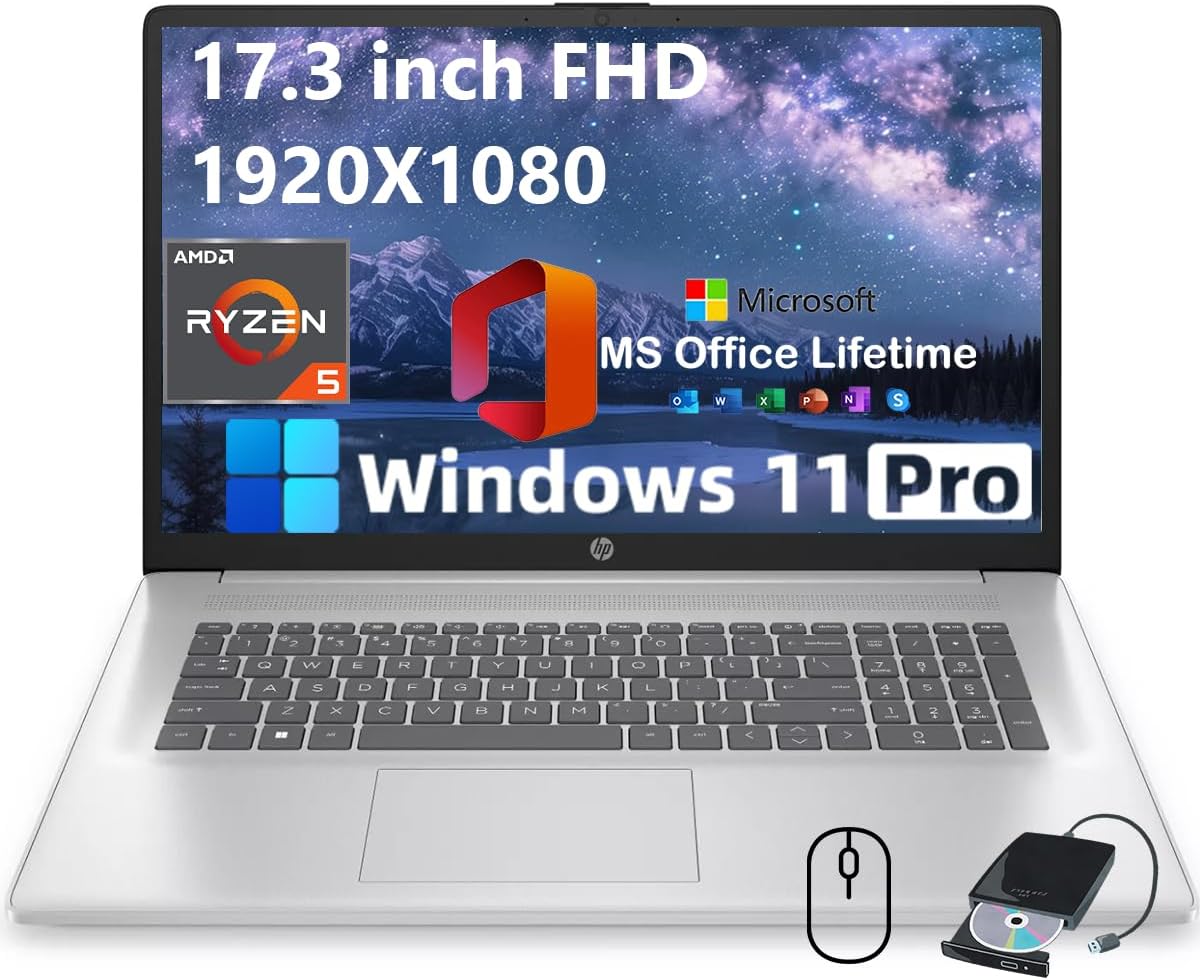



The HP 17.3 Business Laptop stands out as a top choice for users requiring optical media access without sacrificing modern performance. With a 4.5 star rating, it balances professional needs with essential legacy support.
We may earn a commission when you buy through this link, at no additional cost to you.
Equipped with an AMD Ryzen 5 7430U processor and 16GB of RAM, this machine handles multitasking effortlessly. The inclusion of an external CD/DVD drive ensures compatibility with older software or physical media collections.
While the external drive adds bulk, the trade-off is justified by the powerful internals and lifetime Office license. The large 17.3 inch display provides ample workspace for productivity tasks.
This laptop is ideal for students and professionals who need reliable performance and optical drive compatibility. It is a solid investment for long-term use in business or educational environments.
Pre-installed Windows 11 Pro and lifetime Microsoft Office Pro streamline workflow immediately upon unboxing.
The 17.3 inch FHD IPS display with anti-glare coating ensures comfortable viewing during extended work sessions.
We may earn a commission when you buy through this link, at no additional cost to you.
The Lenovo 15.6 IdeaPad offers an accessible entry point for users needing a DVD drive on a tight budget. While it has lower specs, the bundle value is significant for basic home and school tasks.
We may earn a commission when you buy through this link, at no additional cost to you.
Powered by an AMD Athlon Silver 7120U processor, this laptop delivers dependable speed for web browsing and document editing. The external DVD player ensures you can still access optical discs when needed.
The inclusion of a 500GB external storage drive adds substantial value, compensating for the smaller internal SSD. However, the 4GB RAM may limit heavy multitasking capabilities.
Best suited for students or casual users who prioritize affordability over high performance. The full-size keyboard makes data entry comfortable for spreadsheets and reports.
Accessories include a 500GB external drive and cleaning cloth, providing a complete setup out of the box.
The dedicated numeric keypad improves efficiency for accounting or data processing tasks.
We may earn a commission when you buy through this link, at no additional cost to you.
This HP 17.3 FHD Laptop combines robust performance with essential legacy media support. The Ryzen 5 processor ensures smooth operation for business applications and multitasking environments.
We may earn a commission when you buy through this link, at no additional cost to you.
A key feature is the built-in webcam with a privacy shutter, adding an extra layer of security for video conferencing. The external CD/DVD drive is bundled to maintain compatibility with physical media.
While the rating is slightly lower due to price points, the specifications justify the cost for professional use. The 17.3 inch display offers ample space for dual-window productivity.
Ideal for mobile professionals who need security features and optical drive access. It strikes a balance between modern speed and necessary hardware compatibility.
Windows 11 Pro includes BitLocker encryption and advanced tools for professional data protection.
Adaptable for students, content creators, or office workers needing a large screen.
We may earn a commission when you buy through this link, at no additional cost to you.
This HP laptop offers premium memory and storage specifications ideal for power users who need room for large files. While it uses an i3 processor, the 32GB RAM ensures smooth multitasking.
We may earn a commission when you buy through this link, at no additional cost to you.
The inclusion of Microsoft Copilot and Windows 11 Pro features enhances productivity for professional workflows. An external DVD drive is compatible to support legacy software installation.
The high storage capacity reduces the need for external hard drives during daily use. This makes it a strong candidate for those managing large data sets or media projects.
Recommended for users prioritizing RAM and storage over raw CPU clock speed. It is a versatile machine for business and development tasks.
Microsoft Copilot provides AI-powered assistance to accelerate creative and business tasks.
True Vision HD camera includes a physical shutter for secure video conferencing.
We may earn a commission when you buy through this link, at no additional cost to you.
This model pushes specifications with an impressive 64GB of RAM and 2TB SSD storage. It is designed for heavy workloads and users who manage significant data locally.
We may earn a commission when you buy through this link, at no additional cost to you.
The AMD Ryzen 5 processor handles demanding applications efficiently. The external DVD drive ensures that older software and media remain accessible despite modern hardware trends.
With a lifetime Office license included, this device offers long-term value for professionals. The large screen and full keypad enhance comfort during extended work sessions.
Best for users who need maximum memory and storage without relying on cloud solutions. It is a powerhouse for business applications and data management.
2TB of solid-state storage allows for local file management without external drives.
Lifetime Microsoft Office Pro activation key provides continuous software access.
We may earn a commission when you buy through this link, at no additional cost to you.
Designed for students and business users, this HP 17 model offers a balance of performance and compatibility. The Ryzen 5 processor supports academic software and light creative work effectively.
We may earn a commission when you buy through this link, at no additional cost to you.
The external DVD drive is a crucial addition for students who need to install software from discs. Pre-installed Microsoft Office ensures readiness for school assignments immediately.
The 17.3 inch screen provides a comfortable workspace for research and writing. While the external drive requires extra cable management, it maintains functionality without internal compromises.
This laptop is an excellent choice for educational environments. It combines modern speed with the reliability of optical drive support.
Wi-Fi 6 and Bluetooth 5.3 ensure stable internet connections in classrooms.
Anti-glare coating reduces eye strain during long study sessions.
We may earn a commission when you buy through this link, at no additional cost to you.
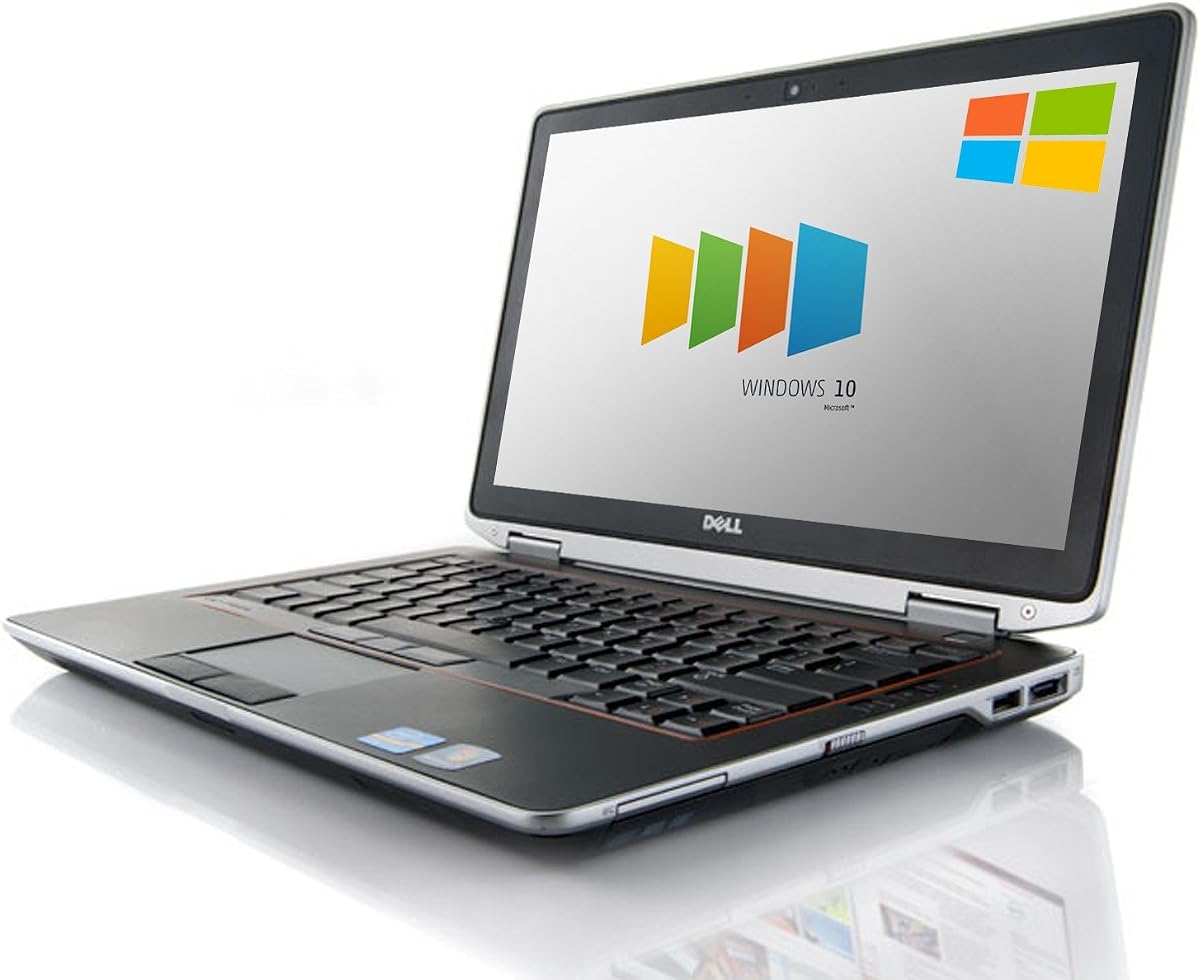
This refurbished Dell Latitude offers an internal DVD drive, which is rare in modern laptops. It is an excellent choice for users prioritizing legacy hardware integration.
We may earn a commission when you buy through this link, at no additional cost to you.
The Core i7 processor ensures decent speed for daily tasks. With 8GB RAM and a 240GB SSD, it provides a responsive experience despite its age.
Certified refurbishing ensures the device is tested and works like new. The included 90-day warranty offers peace of mind for budget-conscious buyers.
Ideal for offices needing optical media access without external drives. It is a cost-effective solution for specific legacy requirements.
Internal DVD drive eliminates the need to carry external peripherals.
Tested functionality and reconditioned to minimize signs of wear.
We may earn a commission when you buy through this link, at no additional cost to you.
A classic example of a laptop with a built-in DVD burner. This model serves those who strictly need optical media capabilities for data storage or software backups.
We may earn a commission when you buy through this link, at no additional cost to you.
The AMD Turion processor provides basic functionality for light tasks. While specifications are outdated, the internal drive remains a reliable feature for legacy systems.
It is best suited for archival purposes or specific industrial applications. Buyers should be aware of limited software support for older operating systems.
This laptop represents an affordable niche solution. It is a unique option for users with specific legacy hardware requirements.
DVD/CDRW optical drive allows writing data to discs for backups.
Built-in wireless adapter ensures internet access without extra hardware.
We may earn a commission when you buy through this link, at no additional cost to you.
This refurbished Dell Latitude offers an internal DVD drive and reliable Core i7 performance. It balances legacy support with reasonable speed for daily office tasks.
We may earn a commission when you buy through this link, at no additional cost to you.
The internal drive simplifies setup by removing the need for external cables. The 500GB HDD provides adequate storage for documents and media files.
Windows 10 Professional supports essential business tools and security features. This model is a practical choice for budget-conscious buyers needing optical media.
Ideal for small offices or individuals needing legacy compatibility. The internal drive is a significant advantage over external alternatives.
Internal DVD drive reduces cable clutter during work sessions.
Windows 10 Pro offers advanced security and management tools.
We may earn a commission when you buy through this link, at no additional cost to you.
This Lenovo IdeaPad combines an internal DVD burner with an SSD for improved boot times. It is a compact solution for users needing optical media on a budget.
We may earn a commission when you buy through this link, at no additional cost to you.
The AMD A9 processor handles basic tasks well. With 4GB RAM and Bluetooth connectivity, it supports standard home computing needs effectively.
The 128GB SSD is faster than traditional hard drives. However, storage space is limited for large media collections or heavy software.
Ideal for home users needing a compact optical drive solution. It is a cost-effective option for basic computing and media playback.
128GB solid state drive provides faster boot times than hard drives.
HDMI and Bluetooth allow easy connection to external displays and accessories.
We may earn a commission when you buy through this link, at no additional cost to you.
Selecting a laptop with optical media support requires balancing modern performance with legacy hardware compatibility. This guide outlines key factors to consider.
Internal drives are built into the chassis and do not require extra cables, but they are rare in new models. External drives connect via USB and add portability but depend on cable management.
Choose internal if you need a self-contained unit and external if you prioritize flexibility and future upgrades.
Modern tasks like video calls and multitasking benefit from newer processors. Look for models with at least a Ryzen 5 or Core i3 class chip to ensure smooth operation.
Prioritize processors that offer enough cores to handle your workflow without slowdowns.
A minimum of 8GB RAM is recommended for general use, with 16GB offering better longevity. SSDs provide faster boot times and responsiveness compared to traditional hard drives.
Balance storage capacity with speed by opting for SSDs when possible.
Larger screens help with productivity tasks. Look for at least 1080p resolution to ensure clarity during reading and writing sessions.
Consider anti-glare coatings to reduce eye strain during long work hours.
Windows 11 Pro offers advanced security features suitable for business. Home editions are sufficient for personal use but lack some enterprise tools.
Select the OS edition that matches your security and management requirements.
Ensure the laptop has enough USB ports to support the optical drive alongside other peripherals. Wi-Fi 6 provides faster internet speeds for online tasks.
Check for HDMI ports if you need to connect to external monitors regularly.
Business class laptops often offer better durability than consumer models. Look for warranties that cover hardware defects to protect your investment.
Refurbished units can be cost-effective but verify their condition before buying.
Prices vary widely based on specs and whether the drive is internal or external. Determine your must-have features to avoid overspending on unnecessary capabilities.
Balance cost with performance to find the best value for your specific needs.
To insert a disc, open the drive tray gently. If using an external drive, connect it to a USB port and wait for the system to recognize the device before inserting media.
Clean optical discs with a soft cloth to prevent scratches. Store them in protective cases to avoid dust accumulation and physical damage.
Update your optical drive drivers regularly to ensure compatibility with newer software. This maintains performance and prevents errors during playback or writing tasks.
Manufacturers have moved away from optical drives to make devices thinner and lighter. Most modern models rely on digital downloads and cloud storage for software and media distribution.
Yes, external drives are reliable and plug-and-play for most systems. They offer flexibility since you can disconnect them when not in use.
Not without an optical drive. You will need an external USB drive or access to digital copies of the software installers to run older applications.
Windows 11 supports optical drives but focuses on modern apps. Windows 10 offers broader compatibility with legacy software that relies on physical media.
Most USB 3.0 or higher ports support them. Ensure your laptop has enough power to run the drive without needing an external power adapter.
An internal drive is built into the laptop, eliminating cables. It is more convenient for frequent use and maintains a cleaner workstation setup.
We reviewed ten models ranging from powerful business laptops to budget-friendly options. The HP 17.3 Business Laptop leads as the top overall choice.
Prioritize processing power and screen size for daily productivity. Balance these with the specific needs of optical drive compatibility.
Verify current prices and specifications before buying as they change frequently. Choosing the right model ensures you have the tools needed for modern and legacy tasks.